


- Top Page >
- Watching TV >
- Twin Picture (PIP)
Twin Picture (PIP)

Displays two pictures (e.g. PC input and TV programme) on the screen simultaneously.
This feature lets you watch two pictures simultaneously. You can have a picture from any input source displayed in full screen, and an input source excluding PC displayed in an inset window.
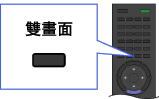
Press
 .
.Press
 /
/ to switch audio output between the two pictures.


Moving the inset window
Press  /
/ .
.

- Available combination of two pictures varies depending on your region/country.
- If two pictures with different vertical frequency signals (e.g. a picture in full screen with 24p and a picture in an inset window with 60i) are displayed simultaneously, the smooth movement of the picture in an inset window may be lost.
- If [Cinema Drive]/[CineMotion] is set to [Auto 1], the smooth movement of the picture in an inset window may be lost. (For [Motionflow] compatible models only.) To remedy this, set to [Auto 2] or [Off]. Press
 , then select
  → [Display] → [Picture] → [Cinema Drive]/[CineMotion] → [Auto 2]/[Off].
