- Top Page >
- Using Other Equipment/Internet >
- Internet/Wireless LAN >
- “BRAVIA” Internet Widgets
“BRAVIA” Internet Widgets
Widgets are small downloadable applications that provide easy access to interactive content when your TV is connected to the Internet. You can display a variety of information on the screen.
Make a broadband Internet connection.
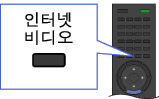
For details, see the information on wireless/wired LAN in “Internet/Wireless LAN” in this manual.Press
 .
.Select any Widget to view more content.

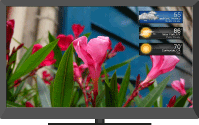

- If you experience difficulties with this feature, check that the Internet connection is set up properly.
- This feature may not be available in some regions/countries.
- Available Widgets depend on your region/country.
- MAC address and IP address are transmitted automatically from the TV to servers while an Internet connection is available. The servers are under the control of Sony, and MAC address will never be transmitted to servers controlled by other parties.
- Widgets other than “BRAVIA” Internet Widgets may be provided.
- You can navigate a Widget using the home icon displayed at the top and the left arrow displayed near the top of the Widget screen.
Select the home icon to go to the Widget home.
Select the left arrow to go to the previous screen in the Widget.
Installing new Widgets
Press  , then select
  → [Yahoo! Widgets Gallery] → the Widget to install.
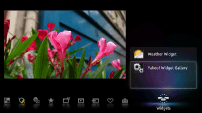

- To delete Widgets, select a Widget in the Home Menu, press
 , then select [Delete a Widget].
Launching hidden Widgets
Press , then select → the Widget to launch.
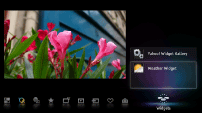

Expanding Snippet to Widget
Highlight a minimized view of a Widget, called a “Snippet,” then press  to expand it into a Widget.