


- Top Page >
- Watching TV >
- Digital Electronic Program Guide
Digital Electronic Program Guide
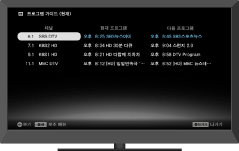
Displays program information for each channel, for easy selection of a desired program.
This feature provides current program information and weekly program guides for the next two days. You can easily access desired programs and program information.
Press  to display the program guide.

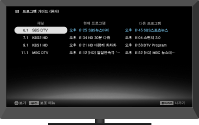

- This function is only available for a digital broadcast.
Program Guide (Current)
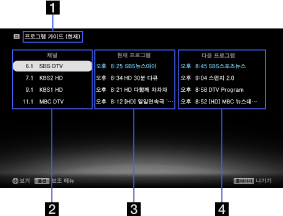
- Program guide screen name
Displays the current program guide. To switch Program Guide (Current) to Program Guide, press
 , then select
  → [Guide].
 - Channel information
Displays a channel title and number for a broadcaster.
- Current program list
Displays a listing of currently broadcast programs. You can view a selected program by highlighting it and pressing
 .
. - Next program list
Displays a listing of subsequent programs.
Program Guide
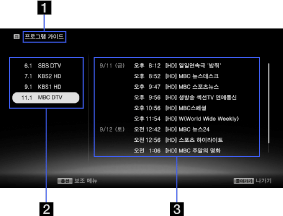
- Program guide screen name
Displays the Program Guide service. To switch to Program Guide (Current), press
, then select → [Guide (Current)]. - Channel information
Displays a channel title and number for a broadcaster. A listing for the highlighted channel appears on the program list.
- Program list
Displays a program schedule for the selected channel. You can display program information by highlighting a program and pressing
.
