

Reference
Rotating the Screen
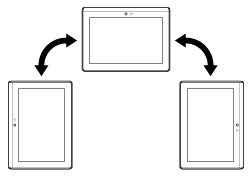
The screen rotates when you turn your tablet device sideways shown below.
Note
-
Depending on the application, the screen may rotate regardless of the direction of your tablet device.
-
Some apps may not support screen rotation.
Setting the screen to not rotate
-
Tap [
 Apps] - [
 Settings] - [
 Screen] - [Auto-rotate screen] in that order to remove the check mark.
To set the screen to rotate again
Tap [Auto-rotate screen] again to add a check mark.
Related Topic