C_Aadjust_Lsensor 【AEP/eng】
| Level3 | EntryPoint | ||||||
|---|---|---|---|---|---|---|---|
| Aadjust | |||||||
C_Aadjust_Lsensor | FullScreen: Page 1
- block_id: 31289 «C_Aadjust_Lsensor»
- Overview
- block_id: 31290 «C_Aadjust_Lsensor»
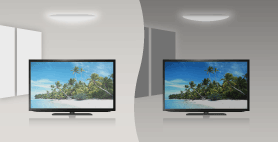
- The picture brightness can be automatically adjusted according to the ambient light. You can save power consumption with an optimised picture brightness.
- block_id: 31291 «C_Aadjust_Lsensor»
【img=i_lightsen_ov.full.png】
C_Aadjust_Lsensor | FullScreen: Page 2
- block_id: 31292 «C_Aadjust_Lsensor»
- Steps
- block_id: 31293 «C_Aadjust_Lsensor»
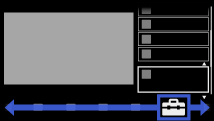
- 1. Press the HOME button, then select
 [Settings] at the bottom of the screen using the
  /
/ buttons.
 - block_id: 31294 «C_Aadjust_Lsensor»
【img=i_NUX_set.full.png】- block_id: 31295 «C_Aadjust_Lsensor»
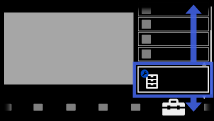
- 2. Select
 [System Settings] using the
  /
/ buttons, then press the
  button.
 - block_id: 31296 «C_Aadjust_Lsensor»
【img=i_NUX_set_systemsettings.full.png】
C_Aadjust_Lsensor | FullScreen: Page 3
- block_id: 31297 «C_Aadjust_Lsensor»
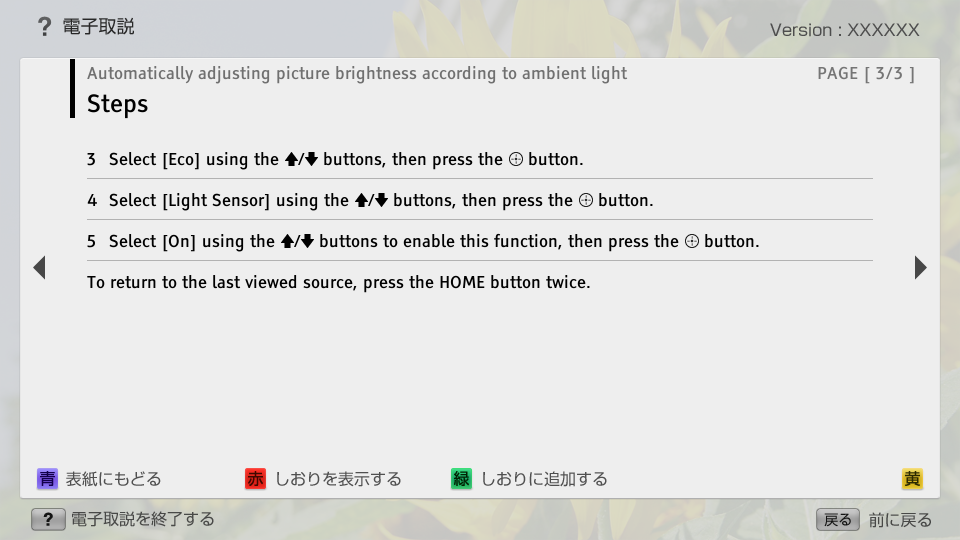
- 3. Select [Eco] using the / buttons, then press the button.
- block_id: 31298 «C_Aadjust_Lsensor»
- 4. Select [Light Sensor] using the / buttons, then press the button.
- block_id: 31299 «C_Aadjust_Lsensor»
- 5. Select [On] using the / buttons to enable this function, then press the button.
- block_id: 31300 «C_Aadjust_Lsensor»
- To return to the last viewed source, press the HOME button twice.