C_Aadjust_scene 【AEP/eng】
| Level3 | EntryPoint | ||||||
|---|---|---|---|---|---|---|---|
| Aadjust | |||||||
C_Aadjust_scene | FullScreen: Page 1
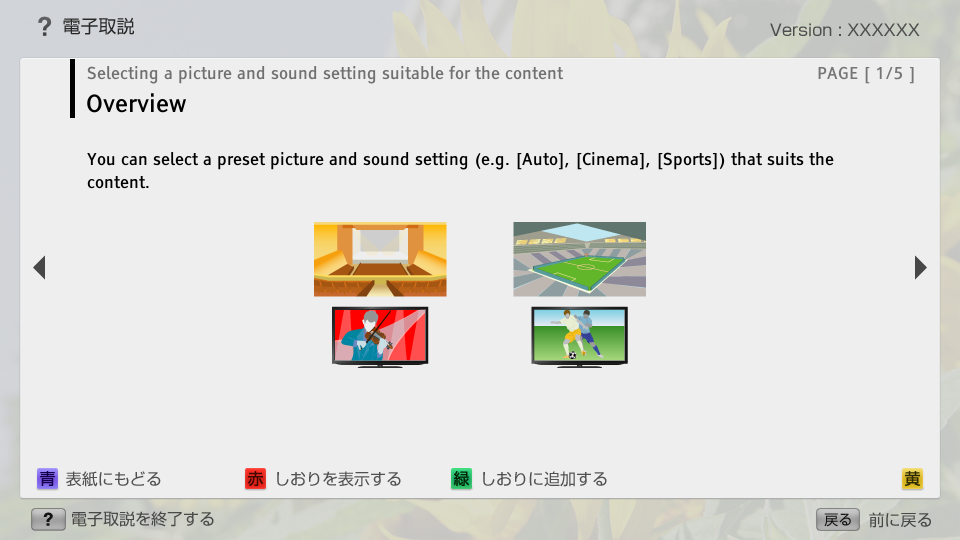
C_Aadjust_scene | FullScreen: Page 2
- block_id: 31251 «C_Aadjust_scene»
- Steps
- block_id: 31252 «C_Aadjust_scene»
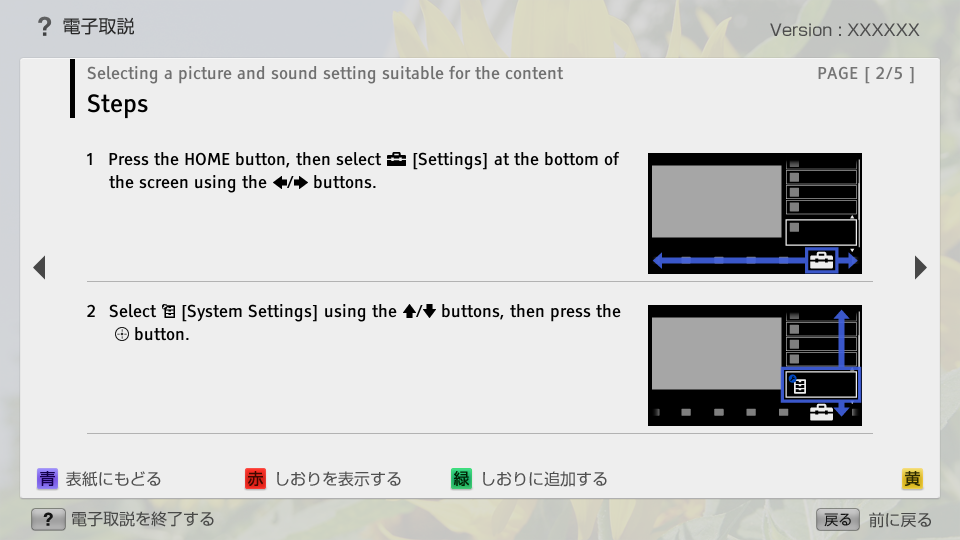
- 1. Press the HOME button, then select
 [Settings] at the bottom of the screen using the
  /
/ buttons.
 - block_id: 31253 «C_Aadjust_scene»
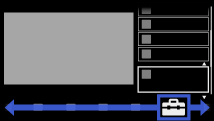
【img=i_NUX_set.full.png】- block_id: 31254 «C_Aadjust_scene»
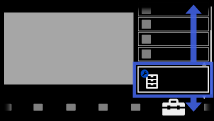
- 2. Select
 [System Settings] using the
  /
/ buttons, then press the
  button.
 - block_id: 31255 «C_Aadjust_scene»
【img=i_NUX_set_systemsettings.full.png】
C_Aadjust_scene | FullScreen: Page 3
- block_id: 31256 «C_Aadjust_scene»
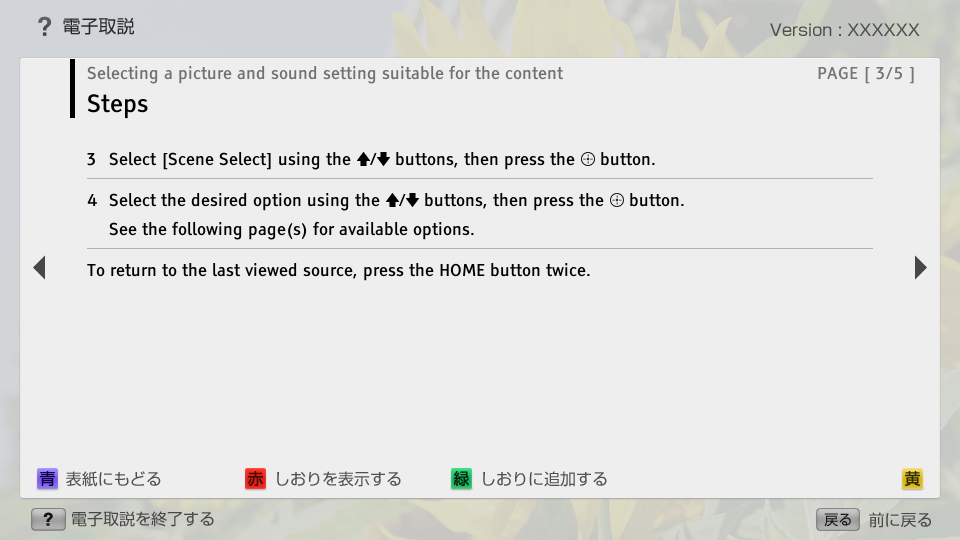
- 3. Select [Scene Select] using the / buttons, then press the button.
- block_id: 31257 «C_Aadjust_scene»
- 4. Select the desired option using the / buttons, then press the button.
- block_id: 37550 «C_Aadjust_scene»
- See the following page(s) for available options.
- block_id: 31258 «C_Aadjust_scene»
- To return to the last viewed source, press the HOME button twice.
C_Aadjust_scene | FullScreen: Page 4
- block_id: 31259 «C_Aadjust_scene»
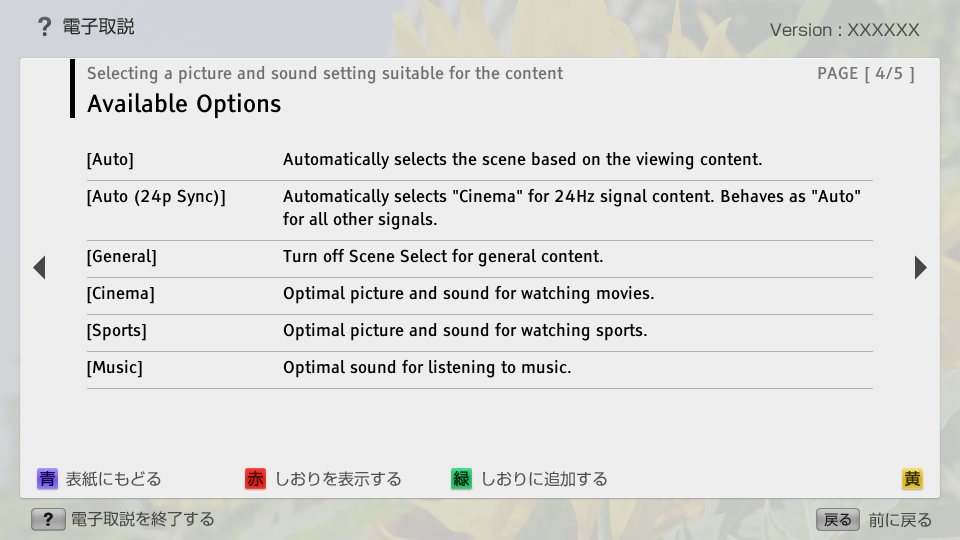
- Available Options
- block_id: 31260 «C_Aadjust_scene»
- [Auto]
- block_id: 31261 «C_Aadjust_scene»
- Automatically selects the scene based on the viewing content.
- block_id: 34128 «C_Aadjust_scene»
- [Auto (24p Sync)]
- block_id: 34129 «C_Aadjust_scene»
- Automatically selects "Cinema" for 24Hz signal content. Behaves as "Auto" for all other signals.
- block_id: 31262 «C_Aadjust_scene»
- [General]
- block_id: 31263 «C_Aadjust_scene»
- Turn off Scene Select for general content.
- block_id: 31264 «C_Aadjust_scene»
- [Cinema]
- block_id: 31265 «C_Aadjust_scene»
- Optimal picture and sound for watching movies.
- block_id: 31266 «C_Aadjust_scene»
- [Sports]
- block_id: 31267 «C_Aadjust_scene»
- Optimal picture and sound for watching sports.
- block_id: 31268 «C_Aadjust_scene»
- [Music]
- block_id: 31269 «C_Aadjust_scene»
- Optimal sound for listening to music.
C_Aadjust_scene | FullScreen: Page 5
- block_id: 31270 «C_Aadjust_scene»
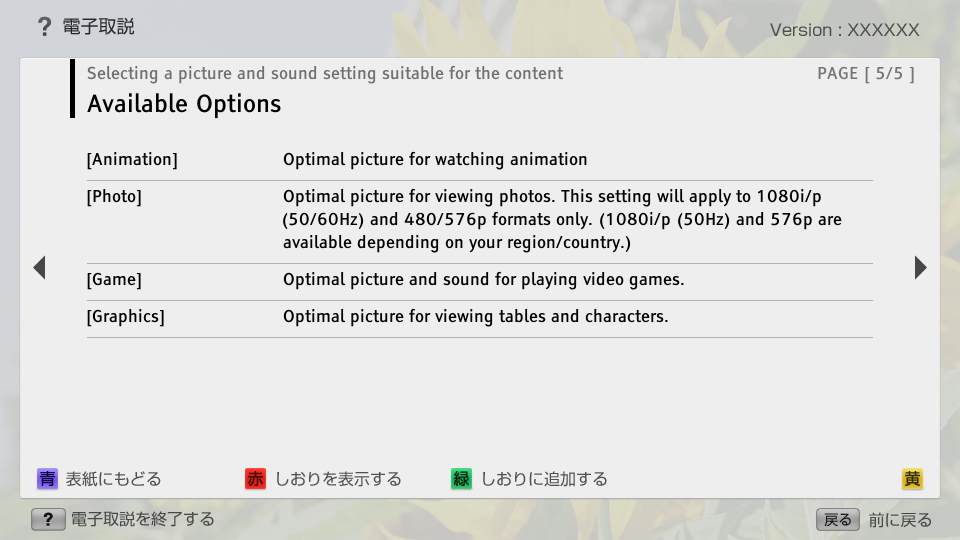
- [Animation]
- block_id: 31271 «C_Aadjust_scene»
- Optimal picture for watching animation
- block_id: 31272 «C_Aadjust_scene»
- [Photo]
- block_id: 31273 «C_Aadjust_scene»
- Optimal picture for viewing photos. This setting will apply to 1080i/p (50/60Hz) and 480/576p formats only. (1080i/p (50Hz) and 576p are available depending on your region/country.)
- block_id: 31274 «C_Aadjust_scene»
- [Game]
- block_id: 31275 «C_Aadjust_scene»
- Optimal picture and sound for playing video games.
- block_id: 31276 «C_Aadjust_scene»
- [Graphics]
- block_id: 31277 «C_Aadjust_scene»
- Optimal picture for viewing tables and characters.