C_Parent_AEP_LockCh 【AEP/eng】
| Level3 | EntryPoint | ||||||
|---|---|---|---|---|---|---|---|
| Parent_AEP | |||||||
C_Parent_AEP_LockCh | FullScreen: Page 1
C_Parent_AEP_LockCh | FullScreen: Page 2
- block_id: 31538 «C_Parent_AEP_LockCh»
- Steps
- block_id: 31539 «C_Parent_AEP_LockCh»
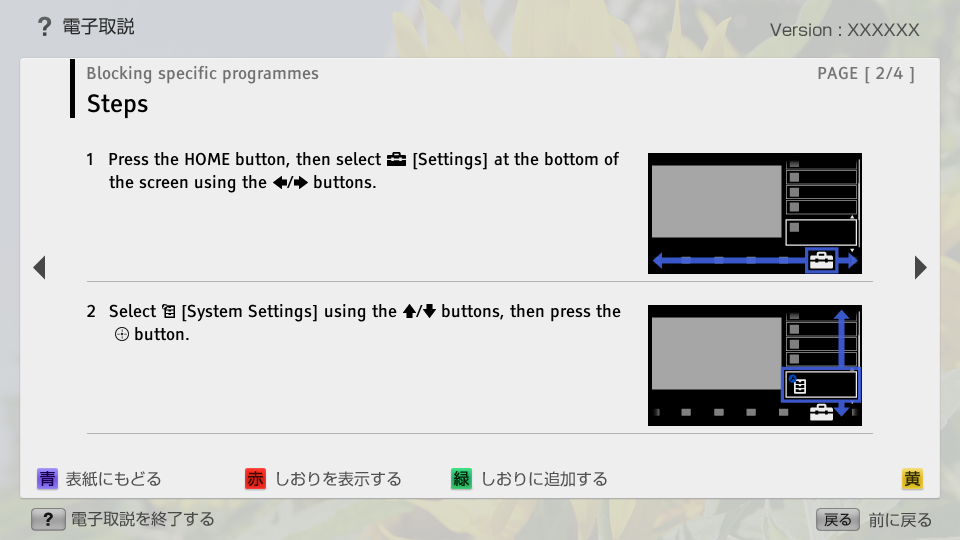
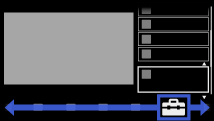
- 1. Press the HOME button, then select
 [Settings] at the bottom of the screen using the
  /
/ buttons.
 - block_id: 31540 «C_Parent_AEP_LockCh»
【img=i_NUX_set.full.png】- block_id: 31541 «C_Parent_AEP_LockCh»
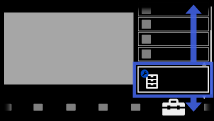
- 2. Select
 [System Settings] using the
  /
/ buttons, then press the
  button.
 - block_id: 31542 «C_Parent_AEP_LockCh»
【img=i_NUX_set_systemsettings.full.png】
C_Parent_AEP_LockCh | FullScreen: Page 3
- block_id: 31543 «C_Parent_AEP_LockCh»
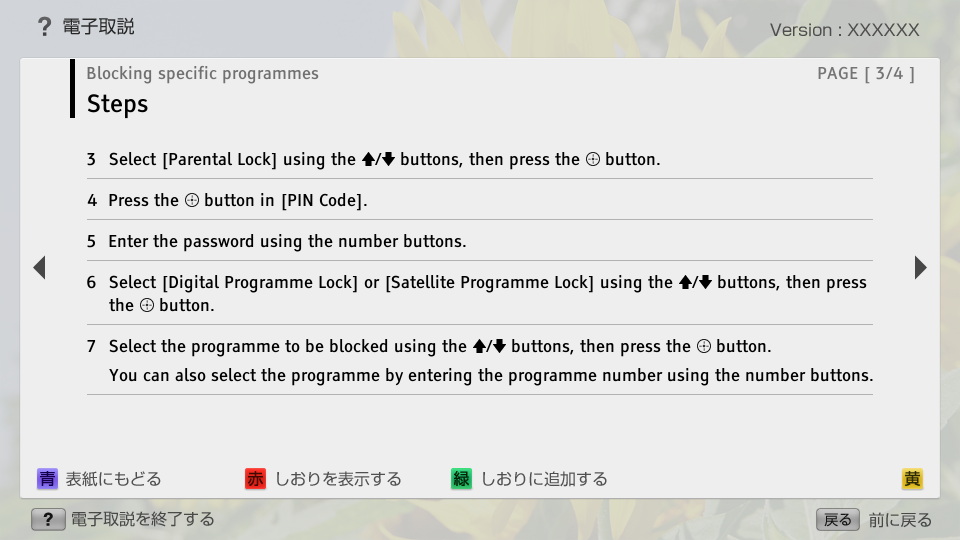
- 3. Select [Parental Lock] using the / buttons, then press the button.
- block_id: 34157 «C_Parent_AEP_LockCh»
- 4. Press the button in [PIN Code].
- block_id: 34158 «C_Parent_AEP_LockCh»
- 5. Enter the password using the number buttons.
- block_id: 31544 «C_Parent_AEP_LockCh»
- 6. Select [Digital Programme Lock] or [Satellite Programme Lock] using the / buttons, then press the button.
- block_id: 31545 «C_Parent_AEP_LockCh»
- 7. Select the programme to be blocked using the / buttons, then press the button.
- block_id: 33402 «C_Parent_AEP_LockCh»
- You can also select the programme by entering the programme number using the number buttons.