C_PicScrn_Size 【AEP/eng】
| Level3 | EntryPoint | ||||||
|---|---|---|---|---|---|---|---|
| PicScrn_3aG_3a_AEP_BR_AR_CO | |||||||
| PicScrn_P2A_AEP_BR_AR_CO | |||||||
C_PicScrn_Size | FullScreen: Page 1

C_PicScrn_Size | FullScreen: Page 2
- block_id: 32233 «C_PicScrn_Size»
- Steps
- block_id: 32234 «C_PicScrn_Size»
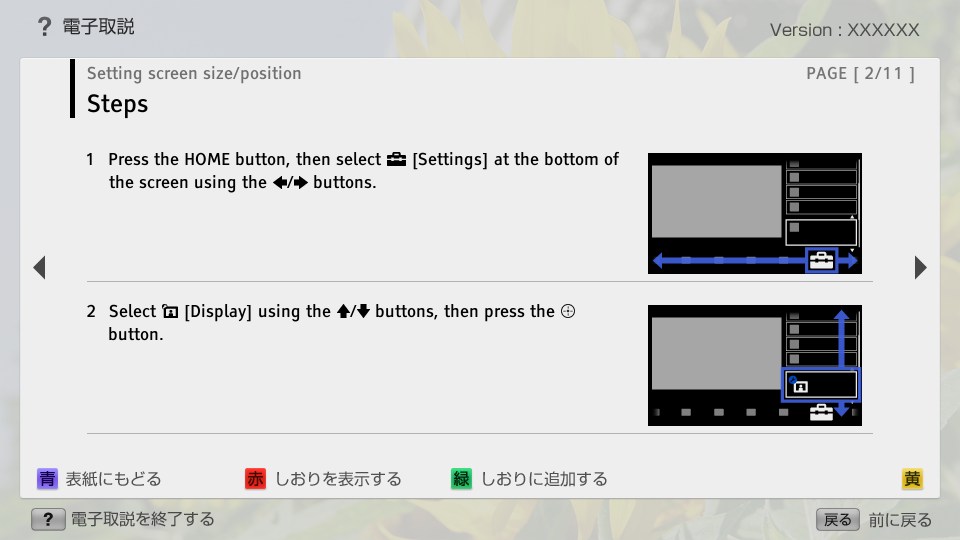
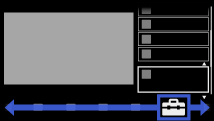
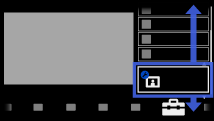
- 1. Press the HOME button, then select
 [Settings] at the bottom of the screen using the
  /
/ buttons.
 - block_id: 32235 «C_PicScrn_Size»
【img=i_NUX_set.full.png】- block_id: 32236 «C_PicScrn_Size»
- 2. Select
 [Display] using the
  /
/ buttons, then press the
  button.
 - block_id: 32237 «C_PicScrn_Size»
【img=i_NUX_set_display.full.png】
C_PicScrn_Size | FullScreen: Page 3
- block_id: 32238 «C_PicScrn_Size»
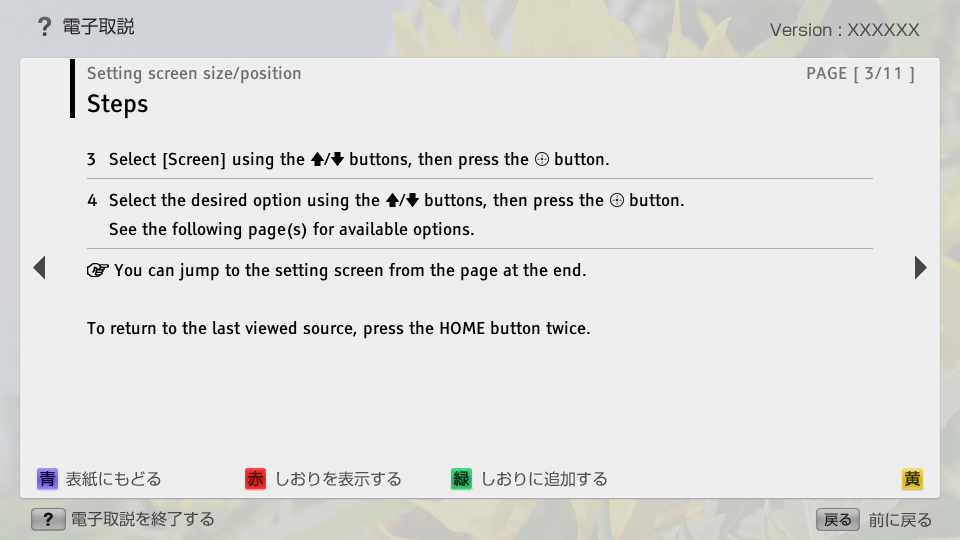
- 3. Select [Screen] using the / buttons, then press the button.
- block_id: 32239 «C_PicScrn_Size»
- 4. Select the desired option using the / buttons, then press the button.
- block_id: 37600 «C_PicScrn_Size»
- See the following page(s) for available options.
- block_id: 38046 «C_PicScrn_Size»
 You can jump to the setting screen from the page at the end.
- block_id: 32240 «C_PicScrn_Size»
- To return to the last viewed source, press the HOME button twice.
C_PicScrn_Size | FullScreen: Page 4
- block_id: 32241 «C_PicScrn_Size»
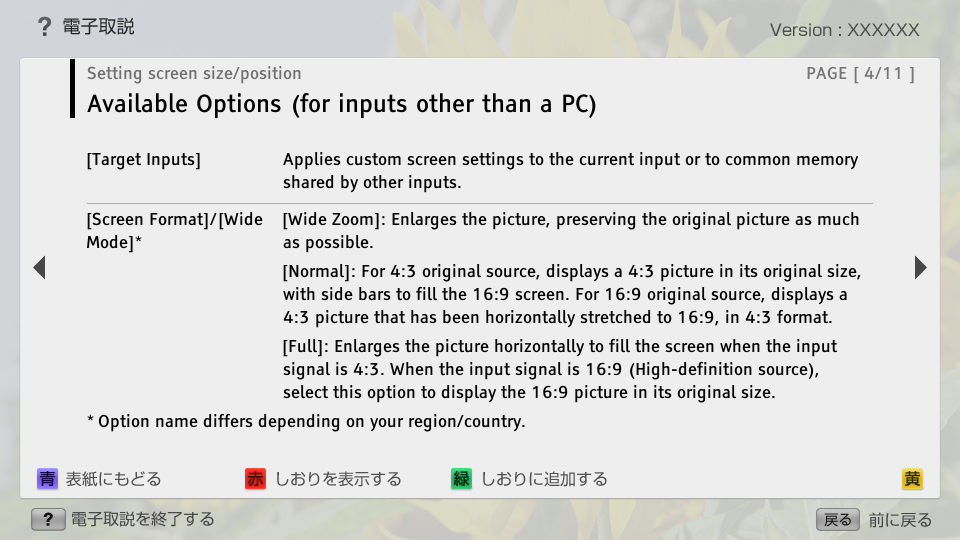
- Available Options (for inputs other than a PC)
- block_id: 32242 «C_PicScrn_Size»
- [Target Inputs]
- block_id: 32243 «C_PicScrn_Size»
- Applies custom screen settings to the current input or to common memory shared by other inputs.
- block_id: 32245 «C_PicScrn_Size»
- [Screen Format]/[Wide Mode]*
- block_id: 32257 «C_PicScrn_Size»
- * Option name differs depending on your region/country.
- block_id: 32246 «C_PicScrn_Size»
- [Wide Zoom]: Enlarges the picture, preserving the original picture as much as possible.
- block_id: 32247 «C_PicScrn_Size»
- [Normal]: For 4:3 original source, displays a 4:3 picture in its original size, with side bars to fill the 16:9 screen. For 16:9 original source, displays a 4:3 picture that has been horizontally stretched to 16:9, in 4:3 format.
- block_id: 32248 «C_PicScrn_Size»
- [Full]: Enlarges the picture horizontally to fill the screen when the input signal is 4:3. When the input signal is 16:9 (High-definition source), select this option to display the 16:9 picture in its original size.
C_PicScrn_Size | FullScreen: Page 5
- block_id: 32250 «C_PicScrn_Size»
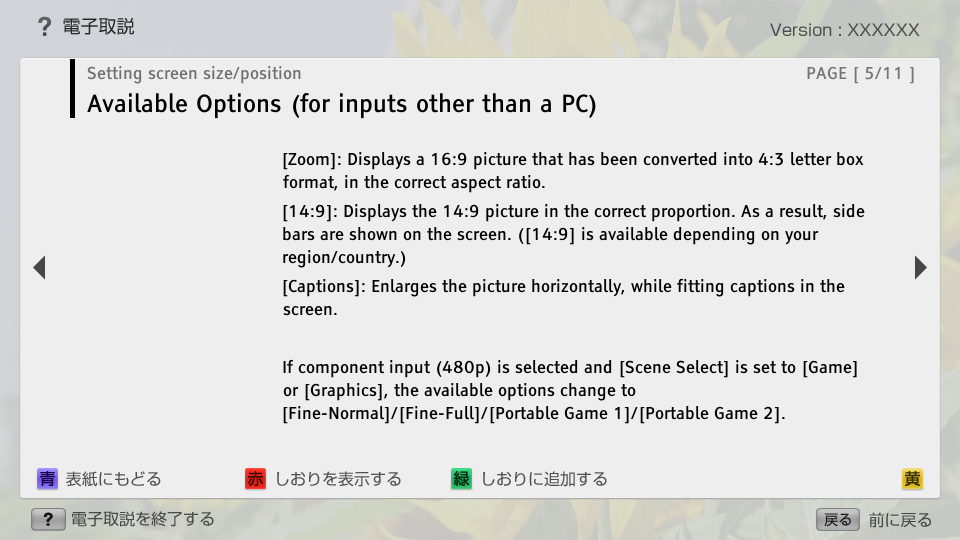
- [Zoom]: Displays a 16:9 picture that has been converted into 4:3 letter box format, in the correct aspect ratio.
- block_id: 32251 «C_PicScrn_Size»
- [14:9]: Displays the 14:9 picture in the correct proportion. As a result, side bars are shown on the screen. ([14:9] is available depending on your region/country.)
- block_id: 32252 «C_PicScrn_Size»
- [Captions]: Enlarges the picture horizontally, while fitting captions in the screen.
- block_id: 37601 «C_PicScrn_Size»
- If component input (480p) is selected and [Scene Select] is set to [Game] or [Graphics], the available options change to [Fine-Normal]/[Fine-Full]/[Portable Game 1]/[Portable Game 2].
C_PicScrn_Size | FullScreen: Page 6
- block_id: 32254 «C_PicScrn_Size»
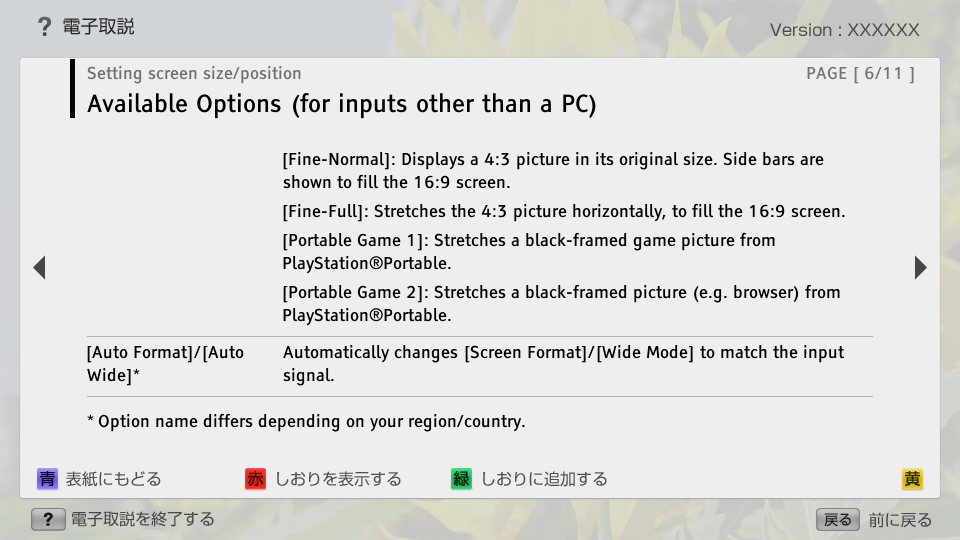
- [Fine-Normal]: Displays a 4:3 picture in its original size. Side bars are shown to fill the 16:9 screen.
- block_id: 32253 «C_PicScrn_Size»
- [Fine-Full]: Stretches the 4:3 picture horizontally, to fill the 16:9 screen.
- block_id: 32255 «C_PicScrn_Size»
- [Portable Game 1]: Stretches a black-framed game picture from PlayStation®Portable.
- block_id: 32256 «C_PicScrn_Size»
- [Portable Game 2]: Stretches a black-framed picture (e.g. browser) from PlayStation®Portable.
- block_id: 32258 «C_PicScrn_Size»
- [Auto Format]/[Auto Wide]*
- block_id: 32260 «C_PicScrn_Size»
- * Option name differs depending on your region/country.
- block_id: 32259 «C_PicScrn_Size»
- Automatically changes [Screen Format]/[Wide Mode] to match the input signal.
C_PicScrn_Size | FullScreen: Page 7
- block_id: 32261 «C_PicScrn_Size»
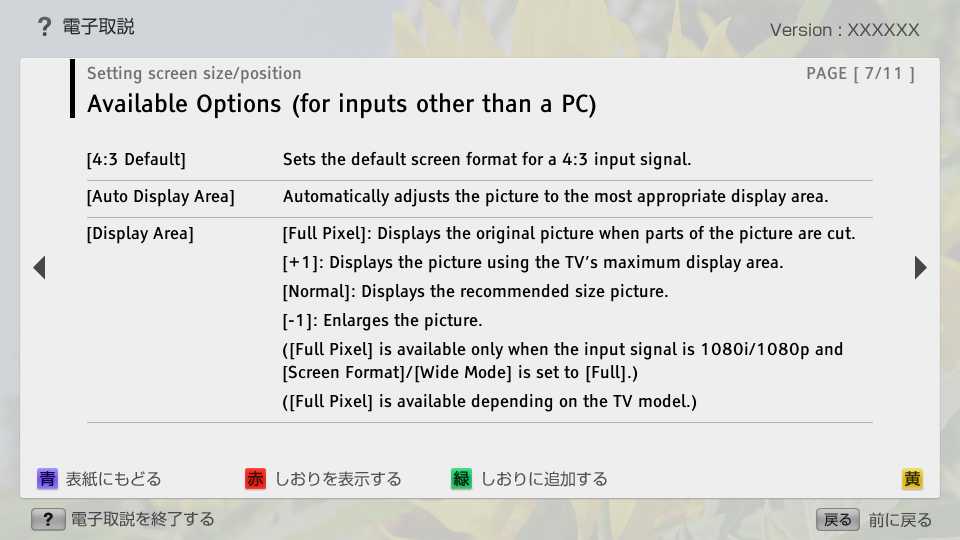
- [4:3 Default]
- block_id: 32262 «C_PicScrn_Size»
- Sets the default screen format for a 4:3 input signal.
- block_id: 32263 «C_PicScrn_Size»
- [Auto Display Area]
- block_id: 32264 «C_PicScrn_Size»
- Automatically adjusts the picture to the most appropriate display area.
- block_id: 32265 «C_PicScrn_Size»
- [Display Area]
- block_id: 32266 «C_PicScrn_Size»
- [Full Pixel]: Displays the original picture when parts of the picture are cut.
- block_id: 32267 «C_PicScrn_Size»
- [+1]: Displays the picture using the TV’s maximum display area.
- block_id: 32268 «C_PicScrn_Size»
- [Normal]: Displays the recommended size picture.
- block_id: 32269 «C_PicScrn_Size»
- [-1]: Enlarges the picture.
- block_id: 32270 «C_PicScrn_Size»
- ([Full Pixel] is available only when the input signal is 1080i/1080p and [Screen Format]/[Wide Mode] is set to [Full].)
- block_id: 32271 «C_PicScrn_Size»
- ([Full Pixel] is available depending on the TV model.)
C_PicScrn_Size | FullScreen: Page 8
C_PicScrn_Size | FullScreen: Page 9
- block_id: 33414 «C_PicScrn_Size»
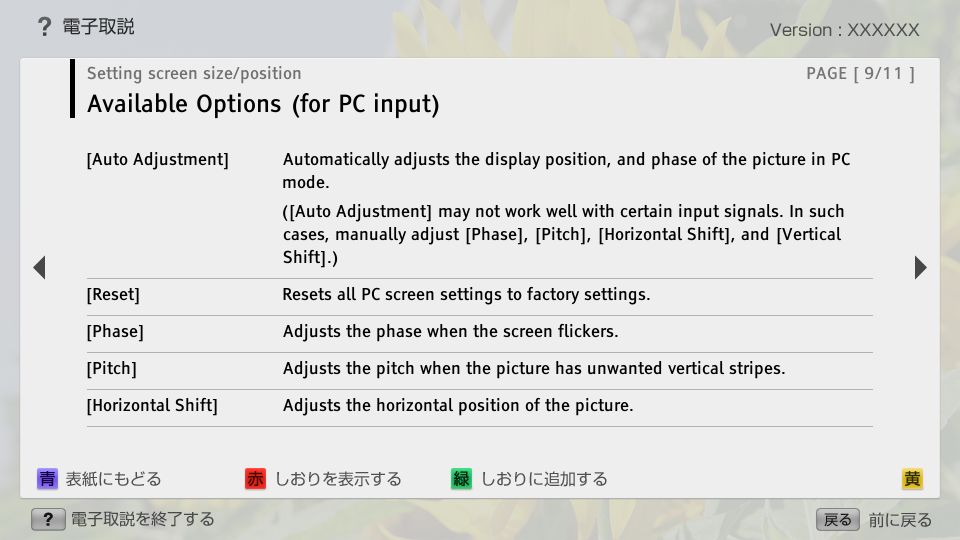
- Available Options (for PC input)
- block_id: 32276 «C_PicScrn_Size»
- [Auto Adjustment]
- block_id: 32277 «C_PicScrn_Size»
- Automatically adjusts the display position, and phase of the picture in PC mode.
- block_id: 32278 «C_PicScrn_Size»
- ([Auto Adjustment] may not work well with certain input signals. In such cases, manually adjust [Phase], [Pitch], [Horizontal Shift], and [Vertical Shift].)
- block_id: 32279 «C_PicScrn_Size»
- [Reset]
- block_id: 32280 «C_PicScrn_Size»
- Resets all PC screen settings to factory settings.
- block_id: 32281 «C_PicScrn_Size»
- [Phase]
- block_id: 32282 «C_PicScrn_Size»
- Adjusts the phase when the screen flickers.
- block_id: 32283 «C_PicScrn_Size»
- [Pitch]
- block_id: 32284 «C_PicScrn_Size»
- Adjusts the pitch when the picture has unwanted vertical stripes.
- block_id: 32285 «C_PicScrn_Size»
- [Horizontal Shift]
- block_id: 32286 «C_PicScrn_Size»
- Adjusts the horizontal position of the picture.
C_PicScrn_Size | FullScreen: Page 10
- block_id: 32287 «C_PicScrn_Size»
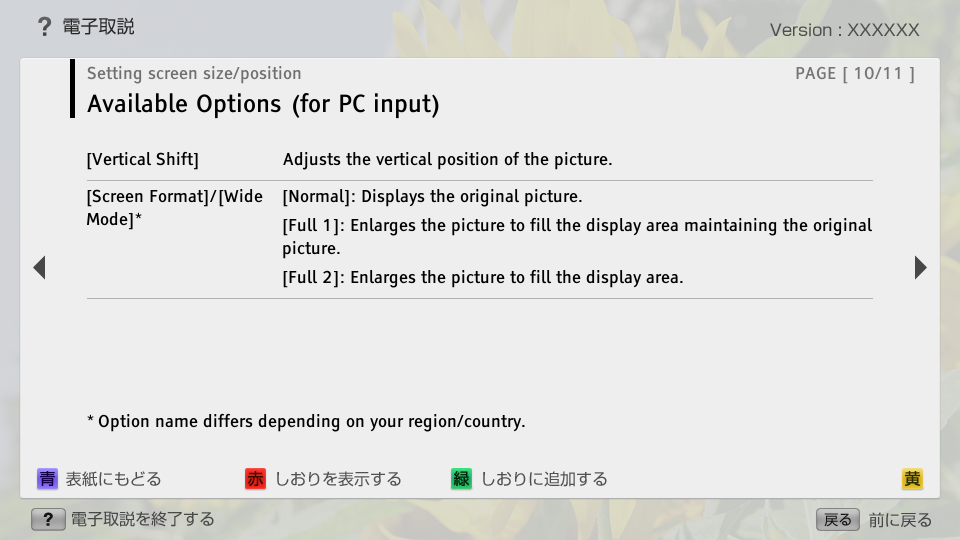
- [Vertical Shift]
- block_id: 32288 «C_PicScrn_Size»
- Adjusts the vertical position of the picture.
- block_id: 32289 «C_PicScrn_Size»
- [Screen Format]/[Wide Mode]*
- block_id: 32293 «C_PicScrn_Size»
- * Option name differs depending on your region/country.
- block_id: 32290 «C_PicScrn_Size»
- [Normal]: Displays the original picture.
- block_id: 32291 «C_PicScrn_Size»
- [Full 1]: Enlarges the picture to fill the display area maintaining the original picture.
- block_id: 32292 «C_PicScrn_Size»
- [Full 2]: Enlarges the picture to fill the display area.