C_USBRec_AEP_Button_FSH 【AEP/eng】
| Level3 | EntryPoint | ||||||
|---|---|---|---|---|---|---|---|
| USBRec_AEP_FSH | |||||||
C_USBRec_AEP_Button_FSH | FullScreen: Page 1


C_USBRec_AEP_Button_FSH | FullScreen: Page 2
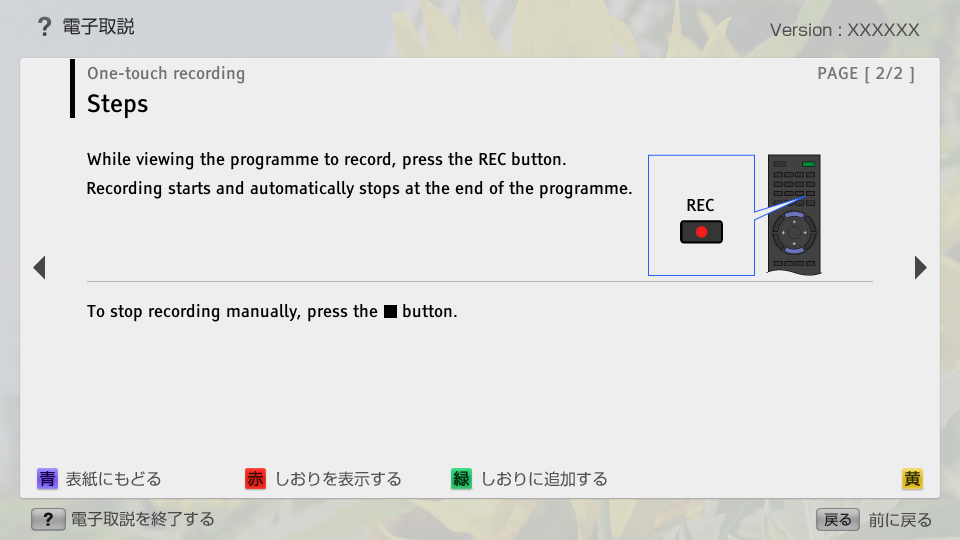
- block_id: 38999 «C_USBRec_AEP_Button_FSH»
- Steps
- block_id: 39000 «C_USBRec_AEP_Button_FSH»
- While viewing the programme to record, press the REC button.
- block_id: 39001 «C_USBRec_AEP_Button_FSH»
- Recording starts and automatically stops at the end of the programme.
- block_id: 39002 «C_USBRec_AEP_Button_FSH»
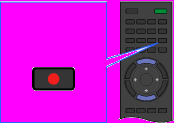
【img=i_wRM_rec_AEP_FSH.full.png】- block_id: 39003 «C_USBRec_AEP_Button_FSH»
- REC
- block_id: 39004 «C_USBRec_AEP_Button_FSH»
- To stop recording manually, press the
 button.