C_Parent_AEP_LockIntCh 【AEP/ger】
| Level3 | EntryPoint | ||||||
|---|---|---|---|---|---|---|---|
| Parent_AEP | |||||||
C_Parent_AEP_LockIntCh | FullScreen: Page 1
- block_id: 31547 «C_Parent_AEP_LockIntCh» :orders:
- Übersicht
- block_id: 31548 «C_Parent_AEP_LockIntCh» :orders:
- Sie können interaktive Kanäle sperren, indem Sie für den Zugriff darauf die Eingabe eines Passworts erforderlich machen.
- block_id: 31549 «C_Parent_AEP_LockIntCh» :orders:
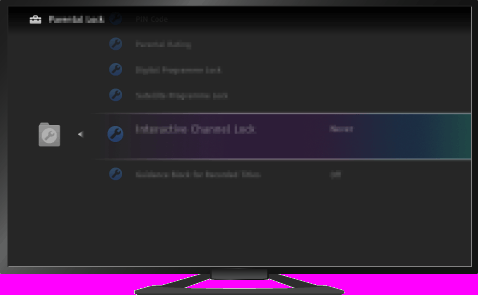
【img=i_parent_lockintch_ov.full.png】
C_Parent_AEP_LockIntCh | FullScreen: Page 2
- block_id: 31550 «C_Parent_AEP_LockIntCh» :orders:
- Schritte
- block_id: 31551 «C_Parent_AEP_LockIntCh» :orders:
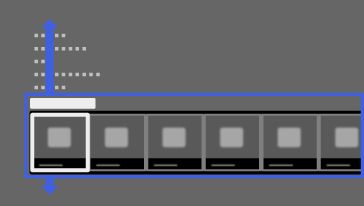
- 1. Drücken Sie die Taste HOME und wählen Sie mit den Tasten
 /
/ die Option [Einstellungen].
 - block_id: 31552 «C_Parent_AEP_LockIntCh» :orders:
【img=i_GNM_Set_step1.full.png】- block_id: 31553 «C_Parent_AEP_LockIntCh» :orders:
- 2. Wählen Sie mit den Tasten
 /
/ die Option
  [Systemeinstellungen] und drücken Sie dann die Taste
  .
. - block_id: 31554 «C_Parent_AEP_LockIntCh» :orders:
【img=i_GNM_Set_step2.full.png】
C_Parent_AEP_LockIntCh | FullScreen: Page 3
- block_id: 31555 «C_Parent_AEP_LockIntCh» :orders:
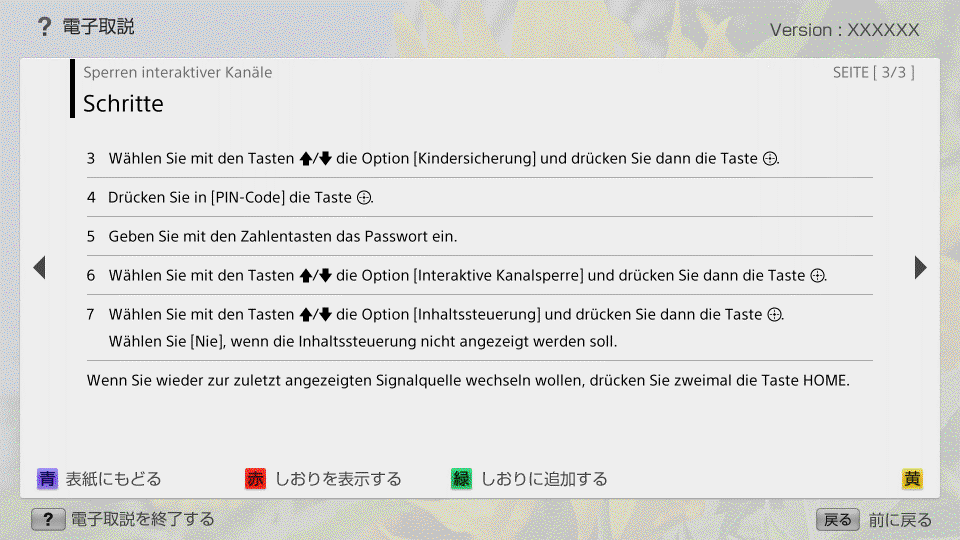
- 3. Wählen Sie mit den Tasten / die Option [Kindersicherung] und drücken Sie dann die Taste .
- block_id: 34159 «C_Parent_AEP_LockIntCh» :orders:
- 4. Drücken Sie in [PIN-Code] die Taste .
- block_id: 34160 «C_Parent_AEP_LockIntCh» :orders:
- 5. Geben Sie mit den Zahlentasten das Passwort ein.
- block_id: 31556 «C_Parent_AEP_LockIntCh» :orders:
- 6. Wählen Sie mit den Tasten / die Option [Interaktive Kanalsperre] und drücken Sie dann die Taste .
- block_id: 31557 «C_Parent_AEP_LockIntCh» :orders:
- 7. Wählen Sie mit den Tasten / die Option [Inhaltssteuerung] und drücken Sie dann die Taste .
- block_id: 31558 «C_Parent_AEP_LockIntCh» :orders:
- Wählen Sie [Nie], wenn die Inhaltssteuerung nicht angezeigt werden soll.
- block_id: 31559 «C_Parent_AEP_LockIntCh» :orders:
- Wenn Sie wieder zur zuletzt angezeigten Signalquelle wechseln wollen, drücken Sie zweimal die Taste HOME.