

Sony

BRAVIA

i-Manual

  • Print
  • Font Size
  • Basic Operations
  • Parts Description
  • Watching TV
  • Using Other Devices
  • Using “BRAVIA” Sync Devices
  • Useful Functions
  • Using Internet
  • Using Home Network
  • Configuring Various Settings
  • Troubleshooting
  • How to Use Bookmarks
  • Top Page >
  • Using Other Devices >
  • One-touch recording

Top Page > Using Other Devices > USB HDD Recording Device > One-touch recording

One-touch recording

Overview

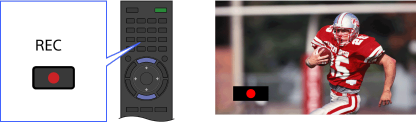
You can record a currently-viewed programme simply by pressing the REC button.
Steps

While viewing the programme to record, press the REC button.

Recording starts and automatically stops at the end of the programme.
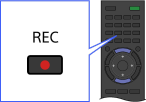
To stop recording manually, press the button.

Top of Page

List of Contents
© 2013 Sony Corporation