

- Top Page >
- Basic Operations >
- How to Use Remote
How to Use Remote
Using the  /
/ /
/ /
/ and
and  Buttons
Basic operation of this TV’s functions and settings can be made by using the /// and buttons.
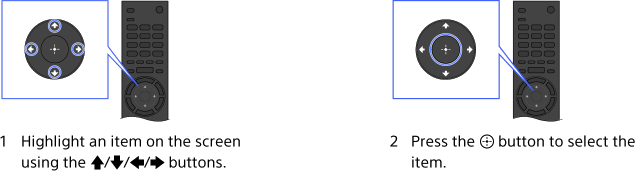
To return to the previous screen
Press the RETURN button.
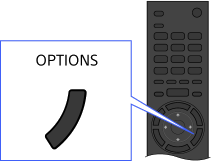
OPTIONS button
By pressing the OPTIONS button, the Options Menu appears and provides quick access to the functions that are available for the currently displayed screen. (The items in the Options Menu differ depending on the selected screen.) This provides faster access to functions than from the Home Menu.
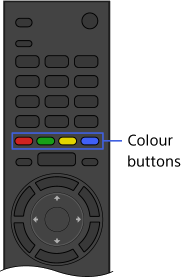
Operating Functions by the Colour Buttons
The colour buttons and available functions are indicated at the bottom of the screen.
Press the colour button that corresponds to the function you want to use.
The available functions differ depending on the screen.
Tips
- The illustration to the right is an example. The order of the colour buttons varies depending on your region/country.
Notes
- Your TV does not support Touchpad Remote Control operations described in this i-Manual.
