

- Top Page >
- Using Other Devices >
- HDMI connection
HDMI connection
Making a Connection
Connect an audio system (e.g. home theater system) with HDMI output to the TV, using an HDMI cable.
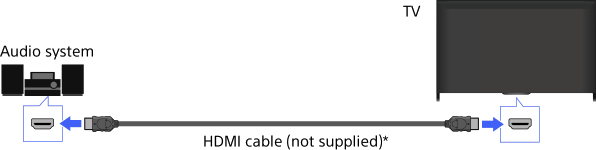
* Be sure to use an authorized HIGH SPEED HDMI cable bearing the HDMI logo.
Tips
- When connecting a BRAVIA Sync-compatible digital audio system with Audio Return Channel (ARC) technology, connect to HDMI IN 2 with an HDMI cable. However, if connecting a system that is not BRAVIA Sync-compatible or Audio Return Channel capable, an additional audio connection via DIGITAL AUDIO OUT (OPTICAL) is necessary.
Steps
After making a connection, press the HOME button, then select
 [Settings].
Select
 [Sound] → [Speakers] → [Audio System].
The connected audio system is turned on automatically. The volume can be controlled using the TV’s remote control.
To return to the last viewed source, press the HOME button twice.
Tips
- If you connect a BRAVIA Sync-compatible device, you can control it by simply using the TV’s remote control.
