
IC RecorderICD-PX240
Selecting the recording mode (MODE)
You can set the recording mode for the files to be recorded. Set this menu item before you start recording.
- In the stop mode, press MENU to enter the menu mode.
- Press
 or
or
 to select “MODE,” and then press
 PLAY/ENTER.
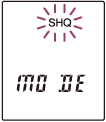
- Press
or
to select desired recording mode, and then press
PLAY/ENTER.
- Press
 (stop) to exit the menu mode.
Descriptions of menu items
You can select one of the menu items available.
SHQ
Super high quality mode (MP3 192 kbps) (Initial setting)
HQ
High quality mode (MP3 128 kbps)
SP
Standard play mode (MP3 48 kbps)
LP
Long play mode (MP3 8 kbps)
Note
- You cannot set the recording mode while recording.
 Go to Page Top