
While the IC recorder is stopped, you can set the clock using the menu.
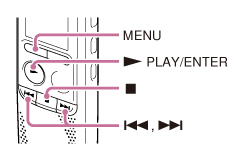
- Press MENU to enter the menu mode.
The menu mode window will be displayed.
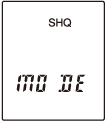
- Press
 or
or  to select “SET DATE,” and then press
  PLAY/ENTER.
The clock setting window will be displayed.
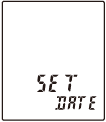
- Set year, month, day, hour and minute.
Press
or to set the year (the last two digits of the year), and then press PLAY/ENTER.Repeat this procedure to set month, day, hour, and minute in sequence. You can move the cursor to the year, month, day, hour and minute by pressing
or .When you set the minute and press
PLAY/ENTER, the clock reflects the setting. - Press
 (stop) to exit the menu mode.
Note
- If you do not press within 1 minute of entering the clock setting data, the clock setting mode is canceled and the window will return to the display of the stop mode.
- The time is displayed either in 12-Hour with “AM” or “PM,” or in 24-Hour, depending on the “HOUR” setting in the menu.