
IC RecorderICD-PX333/PX333F
Moving a file to a different folder
Moves the selected file to the selected folder.
- Select the file you want to move.
- In the stop mode, select DISP/MENU - “Move & Copy” - “Move File,” and then press
 PLAY/STOP・ENTER.
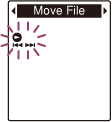
- Press –
 or
or  + to select the folder that you want to move the file into, and then press PLAY/STOP・ENTER.
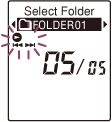
“Moving File...” animation appears and the file is moved to the last position in the destination folder.
When you move a file to another folder, the original file in the previous folder will be erased.
- Press
 (stop) to exit the menu mode.
Note
- You cannot move a protected file. To move the file, release the protection first, and then move the file.
- You cannot move podcast files.
- You cannot move files to the other memory media.
Hint
- To cancel moving the file, press (stop) before step 3.
 Go to Page Top