
IC RecorderICD-PX333/PX333F
Playing back the recorded sound

- Slide the HOLD・POWER ON/OFF switch in the direction of “POWER ON/OFF” to turn on the IC recorder, or towards the center to release the IC recorder from the HOLD status.
The stop mode window appears.
- Select the desired file to be played back.
If you do not select a file, the file just recorded will be played back.
- Press
 PLAY/STOP・ENTER.
Playback starts, and the operation indicator (
 ) will light in green.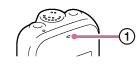
- Press VOL –/+ to adjust the volume.
Note
-
For the customers in Europe only:
When “AVLS” is set to “ON” in the menu and the “AVLS” indicator lights, you cannot adjust the volume to a level that exceeds the AVLS-specified level. If you want to turn off the function and play back files at the original volume, use the menu to set “AVLS” to “OFF.”
Hint
- Press
 (stop) to stop playback.
 Go to Page Top