
IC RecorderICD-PX333M
Setting the display language
You can select the language to be used for messages, menus, folder names, file names, etc.
- In the stop mode, select DISP/MENU - “Detail Menu” - “Language,” and then press
 PLAY/STOP・ENTER.
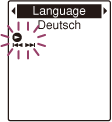
- Press –
 or
or  + to select the language that you want to use, and then press PLAY/STOP・ENTER.
You can select the language from English and
+ to select the language that you want to use, and then press PLAY/STOP・ENTER.
You can select the language from English and (Chinese).
- Press
 (stop) to return to the stop mode display.
Note
- Number of language options you can select and the default setting differ depending on the country or region you purchased your IC recorder.
 Go to Page Top