
Turning off the headphones
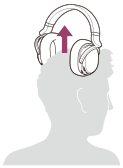
Remove the headphones. The headphones are turned off after about 5 seconds automatically.
Tip
-
You can turn off the headphones by pressing the
 /
/ (power) button on the headphones for about 1 second, also. In this case, the processor becomes standby mode automatically.
Note
-
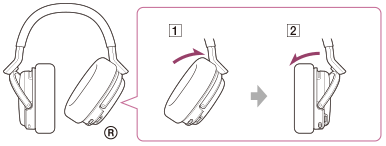
After removing the headphones, do not leave the right housing (
 ) at the angle shown below. If you leave it like this, the power of the headphones might remain on due to the auto power on function.
 Power on
 Power off