
Using the menu on the headphones
-
Switch the input on the TV to which the processor is connected.
-
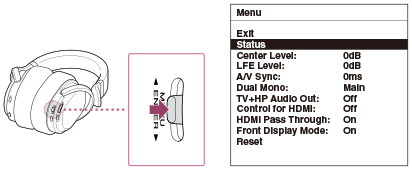
Turn on the headphones, and press the MENU/
 ENTER
ENTER switch to display the menu on the TV screen.
-
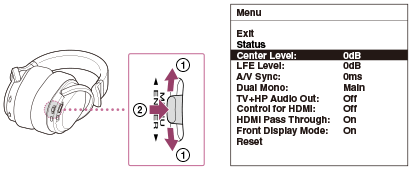
Select a setting item by sliding the MENU/
ENTER switch up or down ( ), and then press the MENU/ENTER switch (
 ).
).
-
Select the desired option by sliding the MENU/
ENTER switch up or down (), and then press the MENU/ENTER switch ().
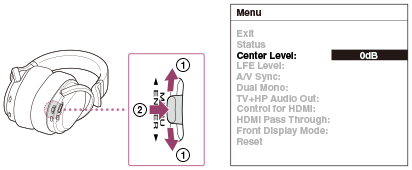
When an operation has not been attempted for about 30 seconds, the menu turns off automatically.
