Help Guide
Top
>
Getting Started
>
Power
>
Disabling the buttons on the system
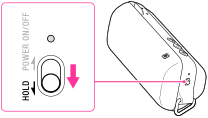
Slide the POWER/HOLD switch to HOLD. The buttons on the system are disabled.
HOLD function on
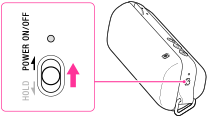
To enable the buttons, slide the POWER/HOLD switch back to the center.
HOLD function off