


Using the programme guide
You can quickly find your preferred programmes.
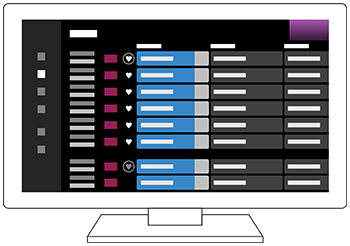
The functions available depend on your region/country/settings.
- Press the
 (Guide) button to display the digital programme guide.
- Select a programme to watch.
Using the [Favourites] feature
To add a channel to [Favourites], select
 (Favourites) in the programme guide. If you select
 (Favourites) in the [Guide] column that is displayed by repeatedly pressing the
 (Left) button on the remote control, the channels registered in [Favourites] and your [Most watched] will be displayed in the programme guide.
Hint
- (TV box control compatible models only) If you perform the [TV box control setup] setting in [TV box setup] under [External inputs], you can display the programme guide of the TV box.
- You can change the channels listed in the programme guide by using [Guide], which is displayed by pressing the
(Left) button on the remote control several times.
- With [Duration], you can change the time axis displayed in the programme guide from two hours to four hours. You can set [Duration] from [Settings] in the [Guide] column on the left side of the programme guide.