Connecting terminal
The availability of terminals and types or shapes of connectors may vary depending on your TV.
For the label and location of the terminals, refer to the Setup Guide (printed manual).
The Setup Guide can also be downloaded from the Support Site.
| Terminal label | Description |
|---|---|
|
|
USB Connects to Digital still camera/Camcorder/USB storage media. Note
|
|
|
USB HDD REC Connects to the USB HDD device or Digital still camera/Camcorder/USB storage media. |
|
|
HDMI IN (4K 120 Hz) Connects to the HDMI device. The HDMI interface can transfer the digital video and audio on a single cable. To enjoy high quality 4K contents, connect a Premium High Speed HDMI™ Cable(s) and follow the instructions displayed on the screen to set the [HDMI signal format] of the HDMI IN port. (HDCP 2.3-compatible) If you use an HDMI device that supports video output in 4K 100/120 Hz, connect the Ultra High Speed HDMI™ Cable, and follow the instructions displayed on the screen to set the [HDMI signal format] of the HDMI IN port. (HDCP 2.3-compatible) Note
|
|
|
HDMI IN (eARC/ARC) To connect an audio system that supports eARC (Enhanced Audio Return Channel) or ARC (Audio Return Channel), connect to the HDMI port labelled “eARC/ARC” on the TV. It is a feature that sends audio to an audio system that supports eARC/ARC through an HDMI cable. If the audio system does not support eARC/ARC, you need to connect with DIGITAL AUDIO OUT (OPTICAL). Hint
|
|
|
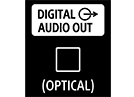
DIGITAL AUDIO OUT (OPTICAL) Connects to an audio system with optical audio input. |
|
|
Connects to Cable/Antenna/External Box. Note
|
|
|
Connects to satellite input. Note
|
|
|
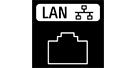
LAN Connect to a Router. |
|
|
CAM (Conditional Access Module) Provides access to pay TV services. For details, refer to the instruction manual supplied with your CAM. Note
|