


HDMI Ports
HDMI Quality
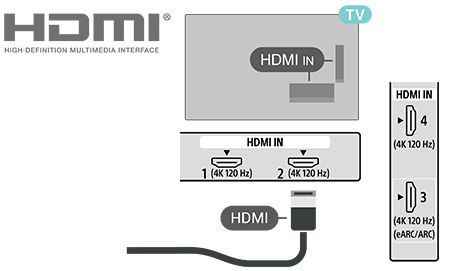
An HDMI connection has the best picture and sound quality. One HDMI cable combines video and audio signals. Use an HDMI cable for High Definition (HD) TV signals.
For best signal quality transfer, use a High speed HDMI cable and do not use an HDMI cable longer than 5 meters.
Copy protection
HDMI ports support HDCP 2.3 (High-bandwidth Digital Content Protection). HDCP is a copy protection signal that prevents copying content from a DVD disc or a Blu-ray Disc. Also referred to as DRM (Digital Rights Management).
HDMI eARC/ARC
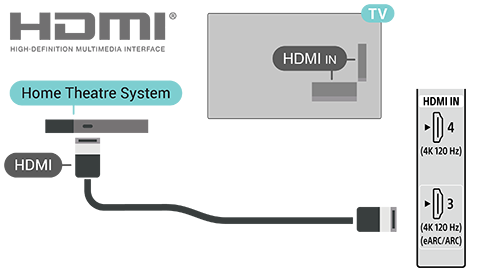
Only HDMI 3 on the TV supports HDMI ARC (Audio Return Channel) and HDMI eARC.
If the device, typically a Home Theatre System (HTS), soundbar or AV receiver, also has the HDMI ARC connection, connect it to HDMI 3 on this TV. With the HDMI ARC connection, you do not need to connect the extra audio cable that sends the sound of the TV picture to the HTS. The HDMI ARC connection combines both signals.
HDMI eARC (Enhanced Audio Return Channel) is an advancement over the previous ARC. It covers all ARC features but with higher bandwidth and speed. eARC supports high quality audio transmission up to 192 kHz, 24-bit, uncompressed 5.1 and 7.1, and 32-channel uncompressed audio.
Note
- HDMI eARC is only available on HDMI 3.
Use Ultra High Speed HDMI Cable for eARC. Only one eARC device is available at a time.
HDMI CEC
Connect HDMI CEC-compatible devices to your TV. You can operate them with the TV remote control.
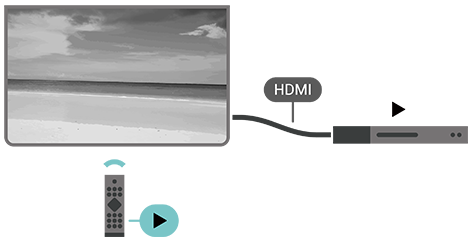
HDMI CEC (Consumer Electronic Control) must be enabled on both the TV and the connected device.
Enable CEC control
Press Dashboard on the remote control, go to [Inputs], scroll down to select [Input settings] and enable [Global CEC control] to allow the TV to control HDMI device.
Device auto power off
Go to [Input settings] and enable [Allow TV to turn off connected devices] to turn off the HDMI devices with the TV.
TV auto power on
Go to [Input settings] and enable [Allow connected devices to turn on TV] to power on the TV with HDMI devices.
Note
- HDMI CEC might not work with devices from other brands.
- The HDMI CEC functionality has different names on different brands. Some examples are: Anynet, Aquos Link, Bravia Theatre Sync, Kuro Link, Simplink and Viera Link. Not all brands are fully compatible. The HDMI CEC branding name examples are property of their respective owners.