


Channels & Inputs
To close this screen and jump to the Settings screen, select the following link.
 Jump to the Settings screen
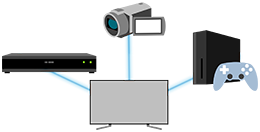
You can configure settings related to TV broadcasts and external devices connected to the TV, including [Channels], which allows you to configure the optimal channel settings for your area.
Note
- The menus displayed in the TV settings vary depending on your model/region/country.
- Press the
 (Quick Settings) button on the remote control, then select [Settings] — [Channels & Inputs] — the desired option.
Available options
[Channels]
Configures the settings related to receiving broadcast programming.
[Channel preferences]
Configures [Captions].
[External inputs]
Configures the settings of the external inputs and BRAVIA Sync.
For details about BRAVIA Sync, refer to BRAVIA Sync overview.
[CH+/- and GUIDE button function]
Configures what will be launched when CH+/- or GUIDE buttons on the remote control are pressed.