SONYHelp Guide

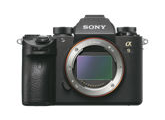
Interchangeable Lens Digital CameraILCE-9α9  Ver.5 or later

  • menu
  • Search
  • Printable PDF

Use this manual if you encounter any problems, or have any questions about your product.

If your camera’s system software version is earlier than Ver.5.0, refer to the Help Guide at the following URL.

https://helpguide.sony.net/ilc/1650/v1/en/index.html

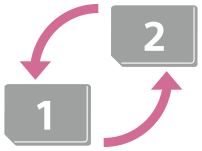
  • Auto Switch Media

    If you use two memory-card slots, you can automatically switch to recording with the other memory card when the memory card in use becomes full.

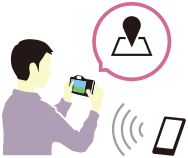
  • How to tag the location information on the images

    You can record the location information on the images. The location information can be acquired via a smartphone.

  • ILCE-9 Lens compatibility information

    This website provides the lens compatibility information. (Another window will open.)

Go to Page Top
      • Front side
      • Rear side
      • Top side/Side view
      • Bottom
      • Using the control wheel
      • Using the multi-selector
      • Using MENU items
      • Assigning frequently used functions to buttons (Custom Key)
      • Using Fn (Function) button (Function menu)
      • How to use the Quick Navi screen
      • How to use the keyboard
      • List of icons on the monitor
      • Switching the screen display (while shooting/during playback)
      • DISP Button (Monitor/Finder)
    • Checking the camera and the supplied items
      • Charging the battery pack using a charger
      • Inserting/removing the battery pack
      • Charging the battery pack while it is inserted in the camera
      • Charging by connecting to a computer
      • Battery life and number of recordable images
      • Supplying power from a wall outlet (wall socket)
      • Notes on the battery pack
      • Notes on charging the battery pack
      • Inserting/removing a memory card
      • Memory cards that can be used
      • Notes on memory card
      • Attaching/removing a lens
      • Attaching the lens hood
      • Mount Adaptor
      • LA-EA1/LA-EA3 Mount Adaptor
      • LA-EA2/LA-EA4 Mount Adaptor
      • Continuous shooting using a Mount Adaptor
      • Vertical grip
    • Setting language, date and time
    • In-Camera Guide
    • Shooting still images
      • Focus Mode
      • Focus Area
      • Focus Area Limit
      • Phase detection AF
      • Focus Standard
      • Focus Settings
      • Adjusting the focus area settings to the camera’s orientation (horizontal/vertical) (Switch V/H AF Area)
      • AF/MF control
      • AF w/ shutter (still image)
      • AF On
      • Focusing on eyes (Face/Eye AF Set.)
      • AF in Focus Mag. (still image)
      • Tracking subject (Tracking function)
      • Focus Hold
      • Registering the current focus area (AF Area Registration) (still image)
      • Deleting a registered AF Area (Del. Regist. AF Area)
      • Focus Frame Color
      • Pre-AF (still image)
      • Eye-Start AF (still image)
      • AF Tracking Sens. (still image)
      • Priority Set in AF-S
      • Priority Set in AF-C
      • AF Illuminator (still image)
      • AF Area Auto Clear
      • Disp. cont. AF area
      • Circ. of Focus Point
      • AF Micro Adj.
      • Aperture Drive in AF (still image)
      • Manual Focus
      • Direct manual focus (DMF)
      • Focus Magnifier
      • MF Assist (still image)
      • Focus Magnif. Time
      • Initial Focus Mag. (still image)
      • Peaking Setting
      • Drive Mode
      • Cont. Shooting
      • Displaying continuous shooting remaining time indicator (Cont. Shoot. Length)
      • Self-timer
      • Self-timer(Cont)
      • Self-timer Type
      • Cont. Bracket
      • Single Bracket
      • Indicator during bracket shooting
      • WB bracket
      • DRO Bracket
      • Bracket Settings
      • Interval Shoot Func.
      • Touch Operation
      • Touch Panel/Pad
      • Func. of Touch Operation: Touch Focus
      • Func. of Touch Operation: Touch Tracking
      • Touch Pad Settings
      • File Format (still image)
      • RAW File Type (still image)
      • JPEG Quality (still image)
      • JPEG Image Size (still image)
      • Aspect Ratio (still image)
      • APS-C/Super 35mm
      • Angle of view
      • List of mode dial function
      • Intelligent Auto
      • About Scene Recognition
      • Program Auto
      • Aperture Priority
      • Shutter Priority
      • Manual Exposure
      • Bulb shooting
      • Recall (Camera Settings1/Camera Settings2)
      • Movie: Exposure Mode
      • S&Q Motion: Exposure Mode
      • Exposure Comp.
      • Reset EV Comp.
      • Dial Ev Comp
      • Exposure Set. Guide
      • Exposure step
      • Metering Mode
      • Face Priority in Multi Metering
      • Spot Metering Point
      • AE lock
      • AEL w/ shutter (still image)
      • Exposure Std. Adjust
      • Exp.comp.set
      • Zebra Setting
      • D-Range Optimizer (DRO)
      • Auto HDR
      • ISO Setting: ISO
      • ISO Setting: ISO Range Limit
      • ISO Setting: ISO AUTO Min. SS
      • The zoom features available with this product
      • Clear Image Zoom/Digital Zoom (Zoom)
      • Zoom Setting
      • About zoom scale
      • Zoom Ring Rotate
      • White Balance
      • Priority Set in AWB
      • Capturing a standard white color to set the white balance (custom white balance)
      • Shutter AWB Lock (still image)
      • Creative Style
      • Picture Effect
      • Color Space (still image)
      • Release w/o Lens
      • Release w/o Card
      • Shutter Type (still image)
      • Using the electronic shutter
      • Displaying the release timing (Shoot. Timing Disp.)
      • Shoot. Start Disp.
      • e-Front Curtain Shutter
      • SteadyShot
      • SteadyShot Settings
      • Lens Comp.
      • Long Exposure NR (still image)
      • High ISO NR (still image)
      • Regist. Faces Priority
      • Face Registration (New Registration)
      • Face Registration (Order Exchanging)
      • Face Registration (Delete)
      • Using flash (sold separately)
      • Red Eye Reduction
      • Flash Mode
      • Flash Comp.
      • FEL lock
      • Wireless Flash
      • Using a flash with a sync terminal cord
    • Shooting movies
    • Movie w/ shutter
    • Movie recording formats
    • File Format (movie)
    • Record Setting (movie)
    • S&Q Settings
    • Proxy Recording
    • Audio Recording
    • Audio Level Display
    • Audio Rec Level
    • Audio Out Timing
    • Wind Noise Reduct.
    • Auto Slow Shutter (movie)
    • Initial Focus Mag. (movie)
    • AF drive speed (movie)
    • AF Tracking Sens. (movie)
    • TC/UB Settings
    • TC/UB Disp. Switch
    • MOVIE Button
    • Marker Display (movie)
    • Marker Settings (movie)
    • 4K Output Select (movie)
    • Video Light Mode
      • Playing back still images
      • Enlarging an image being played back (Enlarge Image)
      • Rotating recorded images automatically (Display Rotation)
      • Rotating an image (Rotate)
      • Enlarge Initial Mag.
      • Enlarge Initial Position
      • Playing back movies
      • Volume Settings
      • Photo Capture
      • Playing back images on the image index screen (Image Index)
      • Setting the method for jumping between images (Image Jump Setting)
      • Switching between still images and movies (View Mode)
      • Display as Group
      • Cont. PB for Interval
      • PB Speed for Interval
      • Selecting which memory card to play back (Select Playback Media)
      • Copying images from one memory card to another (Copy)
      • Playing back images using slideshow (Slide Show)
      • Protecting images (Protect)
      • Rating
      • Rating Set(Custom Key)
      • Specifying images to be printed (Specify Printing)
      • Deleting a displayed image
      • Deleting multiple selected images (Delete)
      • Delete confirm.
      • Viewing images on a TV using an HDMI cable
      • Memory (Camera Settings1/Camera Settings2)
      • Select Media (Memory recall)
      • Registering shooting settings to a custom key (Reg. Custom Shoot Set)
      • Changing the function of the dial temporarily (My Dial Settings)
      • Dial Setup
      • Av/Tv Rotate
      • Lock Operation Parts
      • Function Ring(Lens)
      • Add Item
      • Sort Item
      • Delete Item
      • Delete Page
      • Delete All
      • Display From My Menu
      • Auto Review
      • Aperture Preview
      • Shot. Result Preview
      • Live View Display
      • Grid Line
      • FINDER/MONITOR
      • Monitor Brightness
      • Viewfinder Bright.
      • Finder Color Temp.
      • Finder Frame Rate (still image)
      • Bright Monitoring
      • Format
      • File Number
      • Set File Name
      • Display Media Info.
      • Rec. Media Settings: Prioritize Rec. Media
      • Rec. Media Settings: Recording Mode
      • Rec. Media Settings: Auto Switch Media
      • Select REC Folder
      • New Folder
      • Folder Name
      • Recover Image DB
      • Audio signals
      • Power Save Start Time
      • Auto Power OFF Temp.
      • IR Remote Ctrl
      • NTSC/PAL Selector
      • HDMI Settings: HDMI Resolution
      • HDMI Settings: 24p/60p Output (movie) (Only for 1080 60i compatible models)
      • HDMI Settings: HDMI Info. Display
      • HDMI Settings: TC Output (movie)
      • HDMI Settings: REC Control (movie)
      • HDMI Settings: CTRL FOR HDMI
      • USB Connection
      • USB LUN Setting
      • USB Power Supply
      • PC Remote Settings: Still Img. Save Dest.
      • PC Remote Settings: RAW+J PC Save Img
      • Language 
      • Date/Time Setup
      • Area Setting
      • Copyright Info
      • Version
      • Certification Logo (For some models only)
      • IPTC Information
      • Write Serial Number
      • Demo Mode
      • Setting Reset
      • PlayMemories Mobile
      • Controlling the camera using an Android smartphone (NFC One-touch remote)
      • Controlling the camera using an Android smartphone (QR Code)
      • Controlling the camera using an Android smartphone (SSID)
      • Controlling the camera using an iPhone or iPad (QR Code)
      • Controlling the camera using an iPhone or iPad (SSID)
      • Send to Smartphone Func.: Send to Smartphone
      • Send to Smartphone Func.: Sending Target (proxy movies)
      • Sending images to an Android smartphone (NFC One-touch Sharing)
      • Send to Computer
      • FTP Transfer Func.
      • View on TV
      • Location Info. Link Set.
      • Bluetooth Rmt Ctrl
      • Airplane Mode
      • Wi-Fi Settings: WPS Push
      • Wi-Fi Settings: Access Point Set.
      • Wi-Fi Settings: Disp MAC Address
      • Wi-Fi Settings: SSID/PW Reset
      • Wired LAN Setting
      • PC Remote(Wired LAN): PC Remote(Wired LAN)
      • PC Remote(Wired LAN): Pairing
      • Edit Device Name
      • Importing root certification to the camera (Import Root Certificate)
      • Security(IPsec)
      • Reset Network Set.
    • Recommended computer environment
    • Software for Mac computers
      • PlayMemories Home
      • Installing PlayMemories Home
      • Connecting to a computer
      • Importing images to the computer without using PlayMemories Home
      • Disconnecting the camera from the computer
      • Imaging Edge
      • Remote Camera Tool
      • Selecting a disc to be created
      • Creating Blu-ray Discs from high-definition image quality movies
      • Creating DVD discs (AVCHD recording discs) from high-definition image quality movies
      • Creating DVD discs from standard image quality movies
    • Using MENU items
      • File Format (still image)
      • RAW File Type (still image)
      • JPEG Quality (still image)
      • JPEG Image Size (still image)
      • Aspect Ratio (still image)
      • APS-C/Super 35mm
      • Long Exposure NR (still image)
      • High ISO NR (still image)
      • Color Space (still image)
      • Lens Comp.
      • Self-timer Type
      • Bracket Settings
      • Recall (Camera Settings1/Camera Settings2)
      • Memory (Camera Settings1/Camera Settings2)
      • Select Media (Memory recall)
      • Registering shooting settings to a custom key (Reg. Custom Shoot Set)
      • Interval Shoot Func.
      • Priority Set in AF-S
      • Priority Set in AF-C
      • Focus Area
      • Focus Settings
      • Focus Area Limit
      • Adjusting the focus area settings to the camera’s orientation (horizontal/vertical) (Switch V/H AF Area)
      • AF Illuminator (still image)
      • Focusing on eyes (Face/Eye AF Set.)
      • AF Tracking Sens. (still image)
      • Aperture Drive in AF (still image)
      • AF w/ shutter (still image)
      • Pre-AF (still image)
      • Eye-Start AF (still image)
      • Registering the current focus area (AF Area Registration) (still image)
      • Deleting a registered AF Area (Del. Regist. AF Area)
      • AF Area Auto Clear
      • Disp. cont. AF area
      • Circ. of Focus Point
      • AF Micro Adj.
      • Focus Frame Color
      • Exposure Comp.
      • Reset EV Comp.
      • ISO Setting: ISO
      • ISO Setting: ISO Range Limit
      • ISO Setting: ISO AUTO Min. SS
      • Metering Mode
      • Face Priority in Multi Metering
      • Spot Metering Point
      • Exposure step
      • AEL w/ shutter (still image)
      • Exposure Std. Adjust
      • Flash Mode
      • Flash Comp.
      • Exp.comp.set
      • Wireless Flash
      • Red Eye Reduction
      • White Balance
      • Priority Set in AWB
      • D-Range Optimizer (DRO)
      • Auto HDR
      • Creative Style
      • Picture Effect
      • Shutter AWB Lock (still image)
      • Focus Magnifier
      • Focus Magnif. Time
      • Initial Focus Mag. (still image)
      • AF in Focus Mag. (still image)
      • MF Assist (still image)
      • Peaking Setting
      • Face Registration (New Registration)
      • Face Registration (Order Exchanging)
      • Face Registration (Delete)
      • Regist. Faces Priority
      • Movie: Exposure Mode
      • S&Q Motion: Exposure Mode
      • File Format (movie)
      • Record Setting (movie)
      • S&Q Settings
      • Proxy Recording
      • AF drive speed (movie)
      • AF Tracking Sens. (movie)
      • Auto Slow Shutter (movie)
      • Initial Focus Mag. (movie)
      • Audio Recording
      • Audio Rec Level
      • Audio Level Display
      • Audio Out Timing
      • Wind Noise Reduct.
      • Marker Display (movie)
      • Marker Settings (movie)
      • Video Light Mode
      • Movie w/ shutter
      • Shutter Type (still image)
      • e-Front Curtain Shutter
      • Release w/o Lens
      • Release w/o Card
      • SteadyShot
      • SteadyShot Settings
      • Clear Image Zoom/Digital Zoom (Zoom)
      • Zoom Setting
      • Zoom Ring Rotate
      • DISP Button (Monitor/Finder)
      • FINDER/MONITOR
      • Finder Frame Rate (still image)
      • Zebra Setting
      • Grid Line
      • Exposure Set. Guide
      • Live View Display
      • Shoot. Start Disp.
      • Displaying the release timing (Shoot. Timing Disp.)
      • Displaying continuous shooting remaining time indicator (Cont. Shoot. Length)
      • Auto Review
      • Assigning frequently used functions to buttons (Custom Key)
      • Using Fn (Function) button (Function menu)
      • Changing the function of the dial temporarily (My Dial Settings)
      • Dial Setup
      • Av/Tv Rotate
      • Dial Ev Comp
      • Function Ring(Lens)
      • Func. of Touch Operation: Touch Focus
      • Func. of Touch Operation: Touch Tracking
      • MOVIE Button
      • Lock Operation Parts
      • Audio signals
      • Send to Smartphone Func.: Send to Smartphone
      • Send to Smartphone Func.: Sending Target (proxy movies)
      • Send to Computer
      • FTP Transfer Func.
      • View on TV
      • Ctrl w/ Smartphone
      • PC Remote(Wired LAN): PC Remote(Wired LAN)
      • PC Remote(Wired LAN): Pairing
      • Airplane Mode
      • Wi-Fi Settings: WPS Push
      • Wi-Fi Settings: Access Point Set.
      • Wi-Fi Settings: Disp MAC Address
      • Wi-Fi Settings: SSID/PW Reset
      • Bluetooth Settings
      • Location Info. Link Set.
      • Bluetooth Rmt Ctrl
      • Wired LAN Setting
      • Edit Device Name
      • Importing root certification to the camera (Import Root Certificate)
      • Security(IPsec)
      • Reset Network Set.
      • Protecting images (Protect)
      • Rotating an image (Rotate)
      • Deleting multiple selected images (Delete)
      • Rating
      • Rating Set(Custom Key)
      • Specifying images to be printed (Specify Printing)
      • Copying images from one memory card to another (Copy)
      • Photo Capture
      • Enlarging an image being played back (Enlarge Image)
      • Enlarge Initial Mag.
      • Enlarge Initial Position
      • Cont. PB for Interval
      • PB Speed for Interval
      • Playing back images using slideshow (Slide Show)
      • Selecting which memory card to play back (Select Playback Media)
      • Switching between still images and movies (View Mode)
      • Playing back images on the image index screen (Image Index)
      • Display as Group
      • Rotating recorded images automatically (Display Rotation)
      • Setting the method for jumping between images (Image Jump Setting)
      • Monitor Brightness
      • Viewfinder Bright.
      • Finder Color Temp.
      • Volume Settings
      • Delete confirm.
      • Power Save Start Time
      • Auto Power OFF Temp.
      • NTSC/PAL Selector
      • Cleaning Mode
      • Touch Operation
      • Touch Panel/Pad
      • Touch Pad Settings
      • Demo Mode
      • TC/UB Settings
      • IR Remote Ctrl
      • HDMI Settings: HDMI Resolution
      • HDMI Settings: 24p/60p Output (movie) (Only for 1080 60i compatible models)
      • HDMI Settings: HDMI Info. Display
      • HDMI Settings: TC Output (movie)
      • HDMI Settings: REC Control (movie)
      • HDMI Settings: CTRL FOR HDMI
      • 4K Output Select (movie)
      • USB Connection
      • USB LUN Setting
      • USB Power Supply
      • PC Remote Settings: Still Img. Save Dest.
      • PC Remote Settings: RAW+J PC Save Img
      • Language 
      • Date/Time Setup
      • Area Setting
      • IPTC Information
      • Copyright Info
      • Write Serial Number
      • Format
      • File Number
      • Set File Name
      • Rec. Media Settings: Prioritize Rec. Media
      • Rec. Media Settings: Recording Mode
      • Rec. Media Settings: Auto Switch Media
      • Select REC Folder
      • New Folder
      • Folder Name
      • Recover Image DB
      • Display Media Info.
      • Version
      • Certification Logo (For some models only)
      • Setting Reset
      • Add Item
      • Sort Item
      • Delete Item
      • Delete Page
      • Delete All
      • Display From My Menu
    • Precautions
    • On cleaning
      • Cleaning Mode
    • Number of recordable images
    • Recordable movie times
    • Using the AC Adaptor/battery charger abroad
    • AVCHD format
    • License
    • Specifications
    • Trademarks
    • List of default setting values
    • Troubleshooting
    • Warning messages

If your camera’s system software version is earlier than Ver.5.0, refer to the Help Guide at the following URL.

https://helpguide.sony.net/ilc/1650/v1/en/index.html

4-747-590-12(1)
Copyright 2019 Sony Corporation
Go to Page Top