


How to use the option menu
Display the option menu by pressing the OPTION/PWR OFF button. The option menu items vary depending on the function and allow you to change the settings.

- Press the button (
 ) while your Walkman is playing, for example while in the music playback screen.
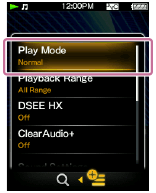
 - Press the button (
 ) to select the desired menu (for example [Play Mode]) and then press the button (
 ) to confirm.
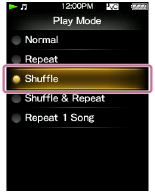
- Press the button () to select the desired menu (for example [Shuffle]) and then press the button () to confirm.
Hint
- To dismiss the option menu, press the button () while the option menu is displayed.