C_PicScrn_3aG_3a_ExceptPicMode 【AEP/eng】
| Level3 | EntryPoint | ||||||
|---|---|---|---|---|---|---|---|
| PicScrn_3aG_3a_AEP_BR_AR_CO | |||||||
C_PicScrn_3aG_3a_ExceptPicMode | FullScreen: Page 1
C_PicScrn_3aG_3a_ExceptPicMode | FullScreen: Page 2
- block_id: 32107 «C_PicScrn_3aG_3a_ExceptPicMode»
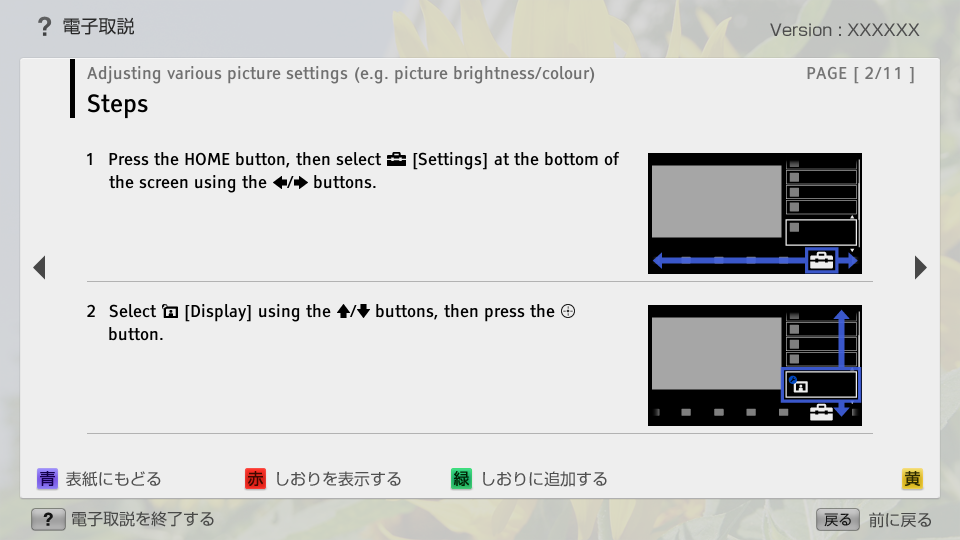
- Steps
- block_id: 32108 «C_PicScrn_3aG_3a_ExceptPicMode»
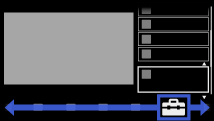
- 1. Press the HOME button, then select
 [Settings] at the bottom of the screen using the
  /
/ buttons.
 - block_id: 32109 «C_PicScrn_3aG_3a_ExceptPicMode»
【img=i_NUX_set.full.png】- block_id: 32110 «C_PicScrn_3aG_3a_ExceptPicMode»
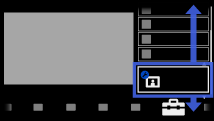
- 2. Select
 [Display] using the
  /
/ buttons, then press the
  button.
 - block_id: 32111 «C_PicScrn_3aG_3a_ExceptPicMode»
【img=i_NUX_set_display.full.png】
C_PicScrn_3aG_3a_ExceptPicMode | FullScreen: Page 3
- block_id: 32112 «C_PicScrn_3aG_3a_ExceptPicMode»
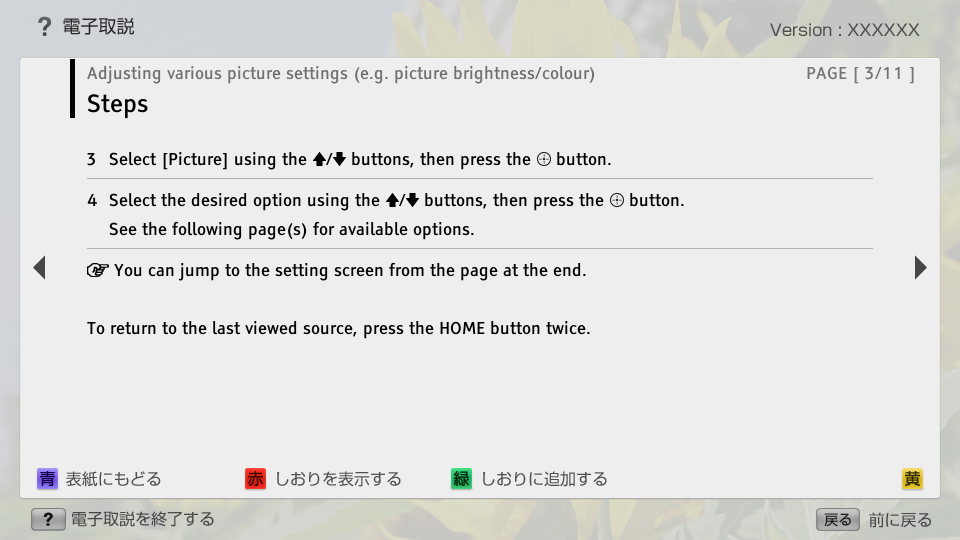
- 3. Select [Picture] using the / buttons, then press the button.
- block_id: 32113 «C_PicScrn_3aG_3a_ExceptPicMode»
- 4. Select the desired option using the / buttons, then press the button.
- block_id: 37456 «C_PicScrn_3aG_3a_ExceptPicMode»
- See the following page(s) for available options.
- block_id: 38007 «C_PicScrn_3aG_3a_ExceptPicMode»
 You can jump to the setting screen from the page at the end.
- block_id: 32114 «C_PicScrn_3aG_3a_ExceptPicMode»
- To return to the last viewed source, press the HOME button twice.
C_PicScrn_3aG_3a_ExceptPicMode | Page 4_1
- block_id: 32115 «C_PicScrn_3aG_3a_ExceptPicMode»
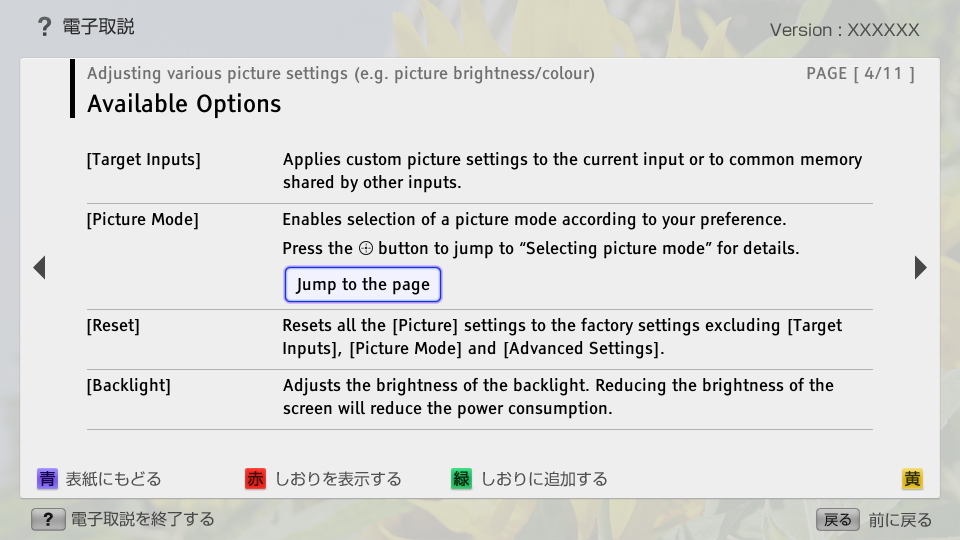
- Available Options
- block_id: 32116 «C_PicScrn_3aG_3a_ExceptPicMode»
- [Target Inputs]
- block_id: 32117 «C_PicScrn_3aG_3a_ExceptPicMode»
- Applies custom picture settings to the current input or to common memory shared by other inputs.
- block_id: 37949 «C_PicScrn_3aG_3a_ExceptPicMode»
- [Picture Mode]
- block_id: 37950 «C_PicScrn_3aG_3a_ExceptPicMode»
- Enables selection of a picture mode according to your preference.
- block_id: 37951 «C_PicScrn_3aG_3a_ExceptPicMode»
- Press the button to jump to “Selecting picture mode” for details.
- block_id: 37952 «C_PicScrn_3aG_3a_ExceptPicMode» C_PicScrn_PicMode_32199
- Jump to the page
- block_id: 32119 «C_PicScrn_3aG_3a_ExceptPicMode»
- [Reset]
- block_id: 32120 «C_PicScrn_3aG_3a_ExceptPicMode»
- Resets all the [Picture] settings to the factory settings excluding [Target Inputs], [Picture Mode] and [Advanced Settings].
- block_id: 32121 «C_PicScrn_3aG_3a_ExceptPicMode»
- [Backlight]
- block_id: 32122 «C_PicScrn_3aG_3a_ExceptPicMode»
- Adjusts the brightness of the backlight. Reducing the brightness of the screen will reduce the power consumption.
C_PicScrn_3aG_3a_ExceptPicMode | FullScreen: Page 5
- block_id: 32125 «C_PicScrn_3aG_3a_ExceptPicMode»
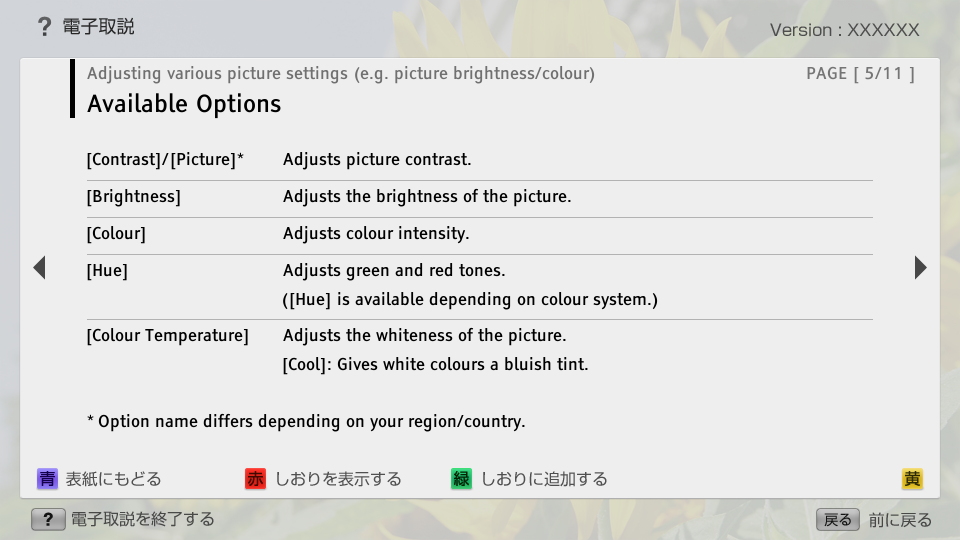
- [Contrast]/[Picture]*
- block_id: 32127 «C_PicScrn_3aG_3a_ExceptPicMode»
- * Option name differs depending on your region/country.
- block_id: 32126 «C_PicScrn_3aG_3a_ExceptPicMode»
- Adjusts picture contrast.
- block_id: 32128 «C_PicScrn_3aG_3a_ExceptPicMode»
- [Brightness]
- block_id: 32129 «C_PicScrn_3aG_3a_ExceptPicMode»
- Adjusts the brightness of the picture.
- block_id: 32130 «C_PicScrn_3aG_3a_ExceptPicMode»
- [Colour]
- block_id: 32131 «C_PicScrn_3aG_3a_ExceptPicMode»
- Adjusts colour intensity.
- block_id: 32132 «C_PicScrn_3aG_3a_ExceptPicMode»
- [Hue]
- block_id: 32133 «C_PicScrn_3aG_3a_ExceptPicMode»
- Adjusts green and red tones.
- block_id: 32134 «C_PicScrn_3aG_3a_ExceptPicMode»
- ([Hue] is available depending on colour system.)
- block_id: 32135 «C_PicScrn_3aG_3a_ExceptPicMode»
- [Colour Temperature]
- block_id: 32136 «C_PicScrn_3aG_3a_ExceptPicMode»
- Adjusts the whiteness of the picture.
- block_id: 32137 «C_PicScrn_3aG_3a_ExceptPicMode»
- [Cool]: Gives white colours a bluish tint.
C_PicScrn_3aG_3a_ExceptPicMode | FullScreen: Page 6
- block_id: 32138 «C_PicScrn_3aG_3a_ExceptPicMode»
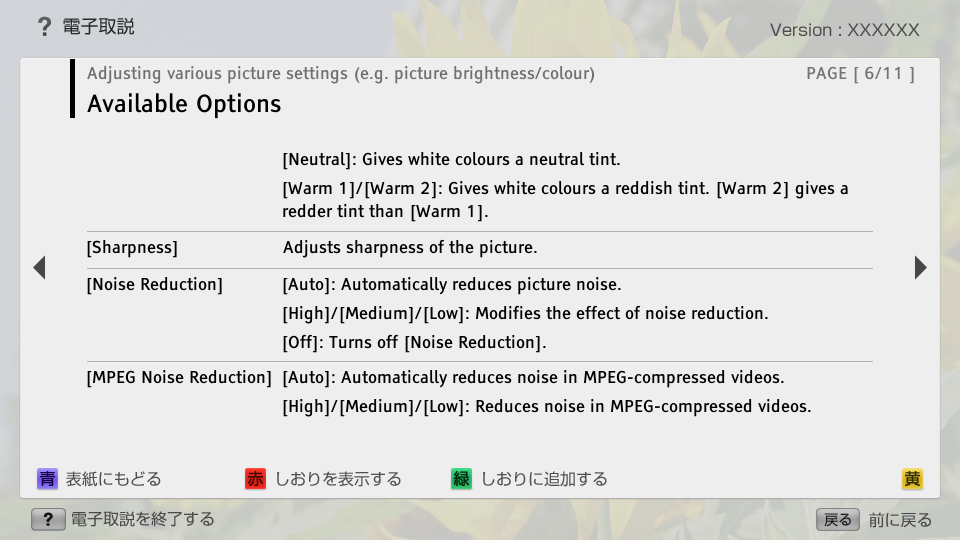
- [Neutral]: Gives white colours a neutral tint.
- block_id: 32139 «C_PicScrn_3aG_3a_ExceptPicMode»
- [Warm 1]/[Warm 2]: Gives white colours a reddish tint. [Warm 2] gives a redder tint than [Warm 1].
- block_id: 32140 «C_PicScrn_3aG_3a_ExceptPicMode»
- [Sharpness]
- block_id: 32141 «C_PicScrn_3aG_3a_ExceptPicMode»
- Adjusts sharpness of the picture.
- block_id: 32142 «C_PicScrn_3aG_3a_ExceptPicMode»
- [Noise Reduction]
- block_id: 32143 «C_PicScrn_3aG_3a_ExceptPicMode»
- [Auto]: Automatically reduces picture noise.
- block_id: 32144 «C_PicScrn_3aG_3a_ExceptPicMode»
- [High]/[Medium]/[Low]: Modifies the effect of noise reduction.
- block_id: 32145 «C_PicScrn_3aG_3a_ExceptPicMode»
- [Off]: Turns off [Noise Reduction].
- block_id: 32146 «C_PicScrn_3aG_3a_ExceptPicMode»
- [MPEG Noise Reduction]
- block_id: 32147 «C_PicScrn_3aG_3a_ExceptPicMode»
- [Auto]: Automatically reduces noise in MPEG-compressed videos.
- block_id: 32148 «C_PicScrn_3aG_3a_ExceptPicMode»
- [High]/[Medium]/[Low]: Reduces noise in MPEG-compressed videos.
C_PicScrn_3aG_3a_ExceptPicMode | FullScreen: Page 7
- block_id: 32149 «C_PicScrn_3aG_3a_ExceptPicMode»
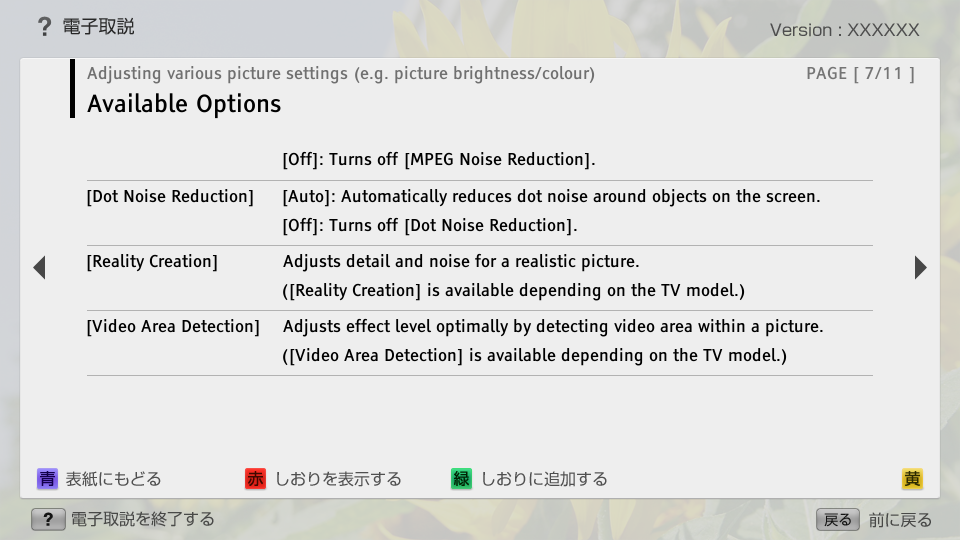
- [Off]: Turns off [MPEG Noise Reduction].
- block_id: 32150 «C_PicScrn_3aG_3a_ExceptPicMode»
- [Dot Noise Reduction]
- block_id: 32151 «C_PicScrn_3aG_3a_ExceptPicMode»
- [Auto]: Automatically reduces dot noise around objects on the screen.
- block_id: 32152 «C_PicScrn_3aG_3a_ExceptPicMode»
- [Off]: Turns off [Dot Noise Reduction].
- block_id: 32153 «C_PicScrn_3aG_3a_ExceptPicMode»
- [Reality Creation]
- block_id: 32154 «C_PicScrn_3aG_3a_ExceptPicMode»
- Adjusts detail and noise for a realistic picture.
- block_id: 32155 «C_PicScrn_3aG_3a_ExceptPicMode»
- ([Reality Creation] is available depending on the TV model.)
- block_id: 32156 «C_PicScrn_3aG_3a_ExceptPicMode»
- [Video Area Detection]
- block_id: 32157 «C_PicScrn_3aG_3a_ExceptPicMode»
- Adjusts effect level optimally by detecting video area within a picture.
- block_id: 32158 «C_PicScrn_3aG_3a_ExceptPicMode»
- ([Video Area Detection] is available depending on the TV model.)
C_PicScrn_3aG_3a_ExceptPicMode | FullScreen: Page 8
- block_id: 32159 «C_PicScrn_3aG_3a_ExceptPicMode»
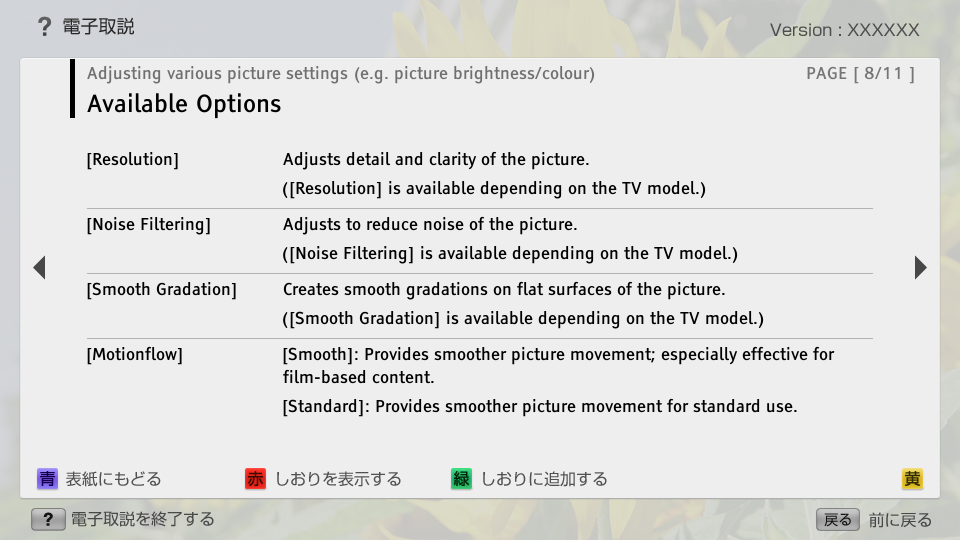
- [Resolution]
- block_id: 32160 «C_PicScrn_3aG_3a_ExceptPicMode»
- Adjusts detail and clarity of the picture.
- block_id: 32161 «C_PicScrn_3aG_3a_ExceptPicMode»
- ([Resolution] is available depending on the TV model.)
- block_id: 32162 «C_PicScrn_3aG_3a_ExceptPicMode»
- [Noise Filtering]
- block_id: 32163 «C_PicScrn_3aG_3a_ExceptPicMode»
- Adjusts to reduce noise of the picture.
- block_id: 32164 «C_PicScrn_3aG_3a_ExceptPicMode»
- ([Noise Filtering] is available depending on the TV model.)
- block_id: 32165 «C_PicScrn_3aG_3a_ExceptPicMode»
- [Smooth Gradation]
- block_id: 32166 «C_PicScrn_3aG_3a_ExceptPicMode»
- Creates smooth gradations on flat surfaces of the picture.
- block_id: 32167 «C_PicScrn_3aG_3a_ExceptPicMode»
- ([Smooth Gradation] is available depending on the TV model.)
- block_id: 32168 «C_PicScrn_3aG_3a_ExceptPicMode»
- [Motionflow]
- block_id: 32169 «C_PicScrn_3aG_3a_ExceptPicMode»
- [Smooth]: Provides smoother picture movement; especially effective for film-based content.
- block_id: 32170 «C_PicScrn_3aG_3a_ExceptPicMode»
- [Standard]: Provides smoother picture movement for standard use.
C_PicScrn_3aG_3a_ExceptPicMode | FullScreen: Page 9
- block_id: 32171 «C_PicScrn_3aG_3a_ExceptPicMode»
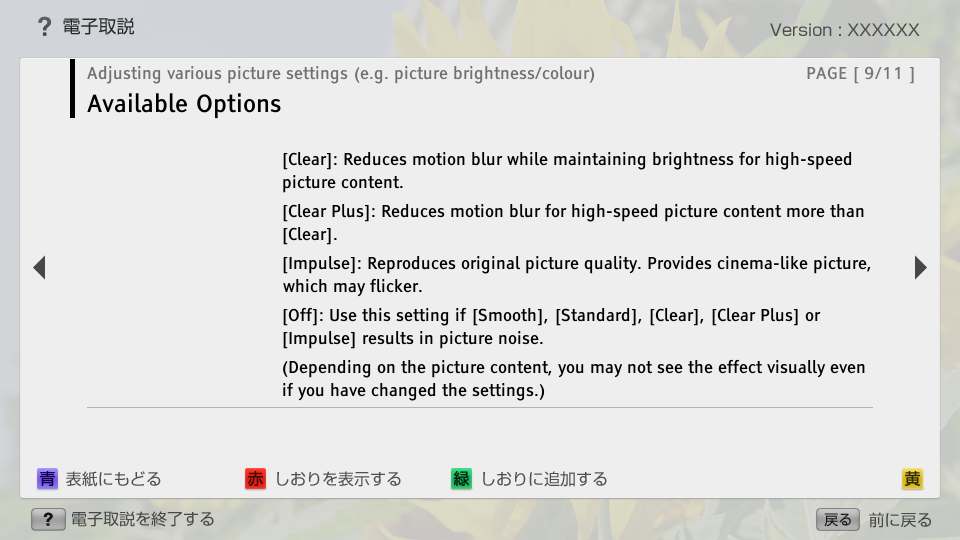
- [Clear]: Reduces motion blur while maintaining brightness for high-speed picture content.
- block_id: 32172 «C_PicScrn_3aG_3a_ExceptPicMode»
- [Clear Plus]: Reduces motion blur for high-speed picture content more than [Clear].
- block_id: 32173 «C_PicScrn_3aG_3a_ExceptPicMode»
- [Impulse]: Reproduces original picture quality. Provides cinema-like picture, which may flicker.
- block_id: 32174 «C_PicScrn_3aG_3a_ExceptPicMode»
- [Off]: Use this setting if [Smooth], [Standard], [Clear], [Clear Plus] or [Impulse] results in picture noise.
- block_id: 32175 «C_PicScrn_3aG_3a_ExceptPicMode»
- (Depending on the picture content, you may not see the effect visually even if you have changed the settings.)
C_PicScrn_3aG_3a_ExceptPicMode | FullScreen: Page 10
- block_id: 32177 «C_PicScrn_3aG_3a_ExceptPicMode»
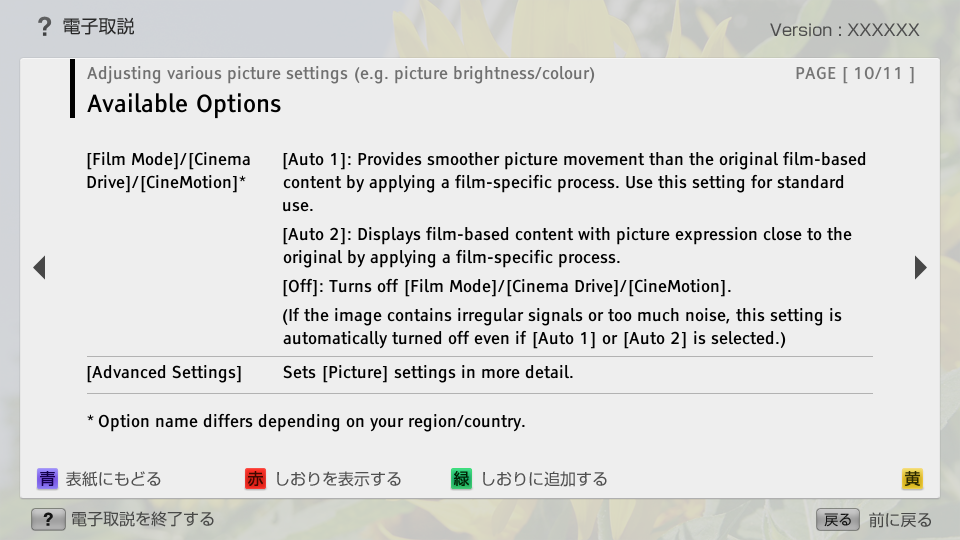
- [Film Mode]/[Cinema Drive]/[CineMotion]*
- block_id: 32182 «C_PicScrn_3aG_3a_ExceptPicMode»
- * Option name differs depending on your region/country.
- block_id: 32178 «C_PicScrn_3aG_3a_ExceptPicMode»
- [Auto 1]: Provides smoother picture movement than the original film-based content by applying a film-specific process. Use this setting for standard use.
- block_id: 32179 «C_PicScrn_3aG_3a_ExceptPicMode»
- [Auto 2]: Displays film-based content with picture expression close to the original by applying a film-specific process.
- block_id: 32180 «C_PicScrn_3aG_3a_ExceptPicMode»
- [Off]: Turns off [Film Mode]/[Cinema Drive]/[CineMotion].
- block_id: 32181 «C_PicScrn_3aG_3a_ExceptPicMode»
- (If the image contains irregular signals or too much noise, this setting is automatically turned off even if [Auto 1] or [Auto 2] is selected.)
- block_id: 33412 «C_PicScrn_3aG_3a_ExceptPicMode»
- [Advanced Settings]
- block_id: 33413 «C_PicScrn_3aG_3a_ExceptPicMode»
- Sets [Picture] settings in more detail.
C_PicScrn_3aG_3a_ExceptPicMode | Page 11_1