- Top Page
- >
- Did You Know
- >
- How to Use the Keypad
How to Use the Keypad
To select an item, press the arrow buttons then ENTER, or slide on the OFS, then press down on the OFS.
To pair the Keypad, press CONNECT and hold down Fn + Enter.
For more, read below...
Make a selection
Scroll, zoom in/out, drag
The Keypad allows you to control the Internet TV and any connected devices seamlessly. The OFS (Optical Finger Sensor) at the right top side of the Keypad allows you to move the pointer like a mouse.
Operations on the Home or application menu screen
To select a menu item, press  /
/ /
/ /
/ to move the cursor to the item, and then press ENTER (or Enter) to select or confirm the highlighted item.
Operations on a web browser
To move the pointer, slide your thumb on the OFS (Optical Finger Sensor).
To click, press down the OFS.
Shortcut operations
Holding Fn down and pressing a key with purple characters is a shortcut to the labeled function. For details, see Keys and Buttons.
Tips
- To return to the previous screen on the Internet TV, press
 (BACK). With some applications, you may not be able to use (BACK) to return to the previous screen. In such case, hold down
  (HOME) to display the Recent apps list then select another application.
 - To return to the previous screen on the currently displayed device, press ESC.
- For more information on the location of keys or buttons, see Keys and Buttons.
When the Keypad does not work
When the Keypad does not work correctly, follow the procedures below. First, confirm the batteries are inserted properly.
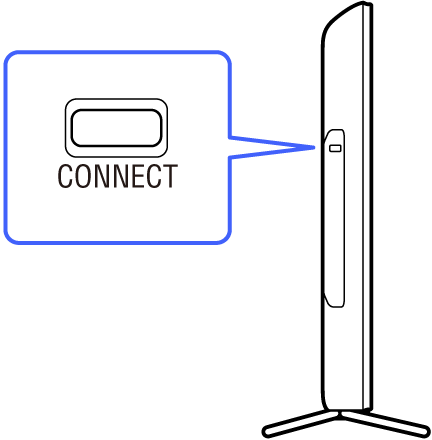
1.Press CONNECT on the Internet TV for more than two seconds to display the pairing screen.
2. Hold down Fn and Enter until the pairing screen disappears.
The AMP indicator blinks fast twice when pairing starts, and blinks slowly twice when pairing has been completed successfully. If pairing is not completed successfully, the AMP indicator blinks five times.
Note
- When the batteries inserted in the Keypad are low, the AMP indicator blinks quickly for two seconds and pairing will not work. Replace the old batteries with new batteries.