


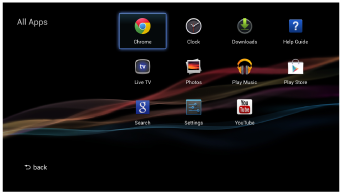
All Apps screen
This screen displays all applications installed on the Smart Stick. The All Apps list is displayed in alphabetical order and includes shortcuts to websites. See the list of applications in “Enjoying Content & Apps” for the list of pre-installed applications. You can also access [Settings] from this screen.
- Press
 (HOME) and select [All Apps].
Note
- When you press (HOME), the Smart Stick Home screen is displayed.