


Listening to music on a device via a USB connection (USB-A)
You can use a smartphone/iPhone with SongPal installed as a remote control. You can select/play music files on a device connected to the USB A port ( A) of the speaker by operating your smartphone/iPhone.
The specification and design of the application may change without notice.
- Connect the device to the USB A port (A) of the speaker.
For details about connection, see Related Topic below.
- Tap [SongPal] on your smartphone/iPhone to start up the application.

SongPal
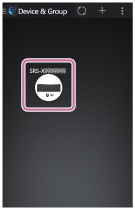
- Tap [SRS-X99].
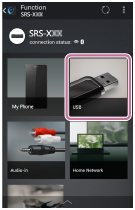
- Tap [USB].
- Select a song from the list and start playback.
Music will be heard from the speaker.
To enjoy a more dynamic sound
Remove the speaker grille from the front of the speaker with the speaker grille detach tool (supplied).*
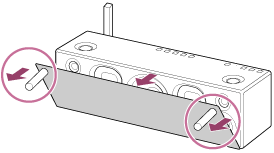
*Keep the removed grille on a flat surface to prevent distortion.
Note
- Do not touch the exposed part of the speaker (speaker units) after removing the speaker grille.