

- Changes after software update, etc.
Changes after software update, etc.
The following items may differ from the factory defaults due to software updates.
- Addition of the Eco Dashboard
- Dropped feature
This topic only describes the changes. Please also refer to the descriptions in the original topic.
For information on software updates, please refer to the “Software updates” page.
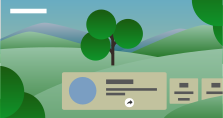
Addition of the Eco Dashboard
You can configure various settings to reduce power consumption, such as Power saving.
You can also check descriptions for features while setting them.
- Press the
 (Quick Settings) button on the remote control, and select [Eco Dashboard].
- In the displayed menu, move the focus left or right and select the desired setting.
Dropped feature
- Wi-Fi Direct feature
- Changes after software update, etc.