


Playing music files
You can add music files to a playlist made with Hi-Res Audio Player, and play back those files.
- Drag and drop music files to a playlist at the bottom of the window.
You can also add music files to a playlist by selecting [Add file] from the [File] menu.
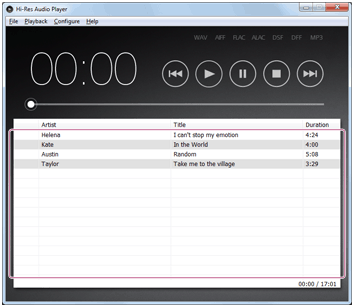
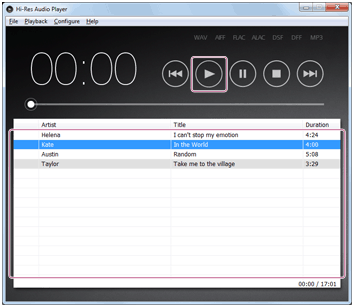
- Select the music file you want to play back, and then click
 .
.
Playback of the music file starts.
To stop playback, click
 .
.
Hint
- By clicking the buttons at the top of the window, you can perform the following playback operations.
-
 : Moves to the previous track.
 -
: Starts playback.
-
 : Pauses playback.
 -
: Stops playback.
-
 : Moves to the next track.
-
- During playback, you can move the playback position by dragging the slider on the top of the window.
- You can also play back a music CD by selecting [Open audio CD] from the [File] menu in step 1, and then selecting the CD drive. You cannot save the playlist displayed when you play back a music CD.