
When new images are copied to PCS, the copy result is displayed in this screen.
To view a photo or video, tap a thumbnail on the thumbnail list screen.
On Android devices, tap and hold a thumbnail to switch to the Image Selection (Android).
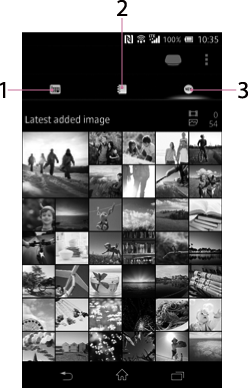
-
 (Date View) icon
Tap to switch to the Date View.
-
 (Album View) icon
Tap to switch to the Album View.
-
 (Latest added image) icon
Tap to switch to the Latest Added Image view.