


Playing a BLUETOOTH Device
You can play contents on a connected device that supports BLUETOOTH A2DP (Advanced Audio Distribution Profile).
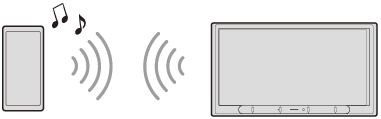
- Make a BLUETOOTH connection with the BLUETOOTH device.
- Press HOME, then touch [Bluetooth].
If [Bluetooth] is not set in the Favorite area, touch [All Apps] to display the HOME2 screen, then select [Bluetooth].
- Operate the BLUETOOTH device to start playback.
To match the volume level of the BLUETOOTH device to other sources
You can reduce the volume level differences between this unit and the BLUETOOTH device:
During playback, touch  (option), then set [Bluetooth Input Level] between –6 and +6.
Note
- Depending on the BLUETOOTH device, information such as title, track number/time, and playback status may not be displayed on this unit.
- Depending on the BLUETOOTH device or music playback application, audio output may distort when [Bluetooth Input Level] is set between +1 and +6. In this case, lower the [Bluetooth Input Level].
- When using Apple CarPlay, the BLUETOOTH connection of iPhone itself is not possible.
If you switch from Apple CarPlay to the BLUETOOTH connection, disconnect your iPhone from the USB port, then connect it with the BLUETOOTH function. - When using Apple CarPlay, only the BLUETOOTH playback of other devices is available at the same time. The BLUETOOTH handsfree call function of other devices is not available at the same time.