Setting the headphones in the carrying case
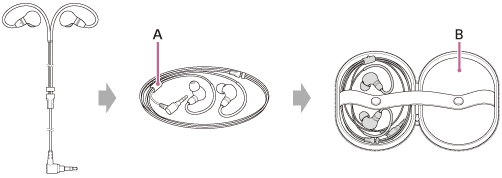
Roll the cable several times in a circle to set the headphones in the carrying case (B).
You can bundle the cable with the supplied cable band (A).
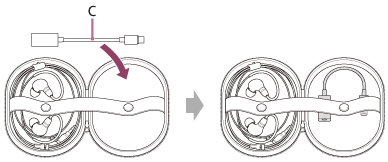
To set the USB Type-C audio box in the carrying case
Set the USB Type-C audio box (C) in the other free space of the carrying case.