SONY

Gaming HeadphonesINZONE E9Help Guide

Table of Contents
Table of Contents
  • Top
      • Included items
      • Setting the headphones in the carrying case
      • Replacing the earbud tips
      • Location and function of parts
      • Wearing the headphones
    • Connecting the headphones to a computer or PlayStation®5
      • What you can do with “INZONE Hub”
      • Installing “INZONE Hub”
    • Precautions
    • Handling the headphone cable
    • To prevent burning or malfunction due to getting wet
    • Licenses
    • Trademarks
    • Customer support websites
    • Troubleshooting
    • Specifications
閉じる


Model: YY2989

Let’s start to use
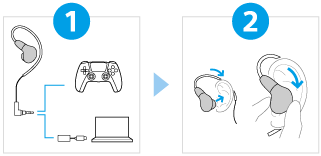
  • Connecting the headphones and supplied USB Type-C audio box properly

    Connect the headphones and the supplied USB Type-C audio box to each device properly as shown.
    Headphones - PS5®
    Headphones - USB Type-C audio box - computer

  • Wearing the headphones

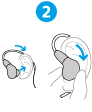
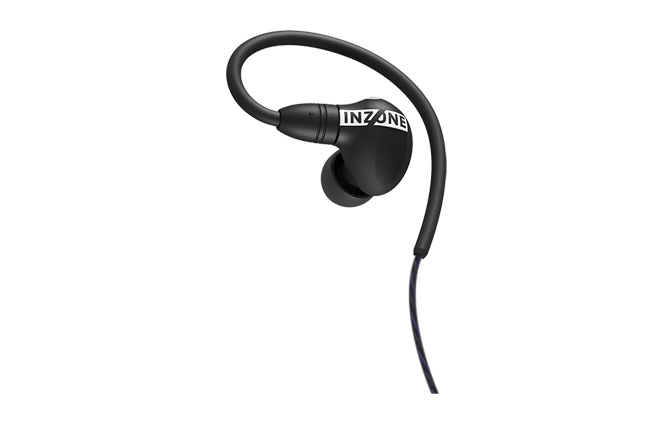
    Place the hanger behind your ear and put the headphone unit into your ear. Then, move the headphone up, down, left and right to slide the earbud tip deep into the ear canal.


To use all functions and improved performances

Update the computer software “INZONE Hub” to the latest version.

For details on “INZONE Hub”, refer to the following URL.

https://www.sony.net/inzonehub-support


IER-G900

  • Download PDF

Go to Page Top
Language Selection Page
5-068-218-11(1)
Copyright 2025 Sony Corporation