


About the Indicator
Both BRAVIA Theatre Sub 7 and BRAVIA Theatre Rear 8 have an indicator on the front to indicate product status.
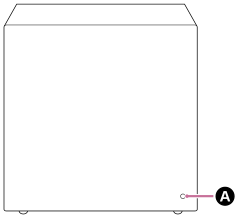
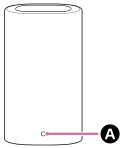
 Power indicator
Power condition
-
 (Flashing slowly in white)
Power is turning on.
-
 (Lit up in red)
The unit is in standby mode.
-
 (Turned off)
The unit is turned off.
Connecting status with the compatible device
-
 (Lit up in white)
The unit is connected to the compatible device.
-
(Flashing slowly in white)
The unit is waiting for a connection from the compatible device.
-
 (Flashing twice repeatedly in white)
The unit is waiting for manual connection from the compatible device.
Special conditions
-
 (Flashing in white/blue alternately)
Software updating/resetting, etc. is in progress.
-
 (Flashing in white)
Wireless function is off. Operate LINK to turn on the wireless function.
-
 (Flashing in red)
An abnormality or error has been detected. Follow the steps in “Troubleshooting.”
TP1001849402