


Optimizing the noise canceling function according to the wearing conditions (NC Optimizer)
The headset analyzes the wearing conditions, such as face shape, hairstyle, and the presence of glasses, to optimize the noise canceling performance.
It is recommended that you run NC Optimizer when using the headset for the first time or when the wearing conditions have changed.
-
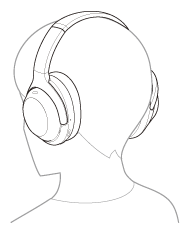
Put on the headset with the power turned on.
-
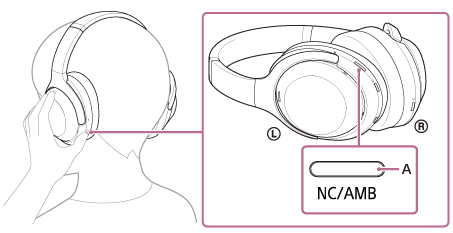
Press and hold the noise canceling/Ambient Sound Mode button (A) for about 2 seconds until you hear the voice guidance say, “Optimizer start”.
You will hear test signals while the optimization is in progress. When the optimizing process is finished, you will hear the voice guidance say, “Optimizer finished”.
Hint
- It is recommended that you run NC Optimizer again when your wearing conditions have changed, such as after changing your hairstyle or taking off the glasses you usually wear.
- You can also operate NC Optimizer from the “Sound Connect” app.
Note
- When running NC Optimizer, wear the headset in the same condition as when you actually use it. It is recommended that you do not touch the headset while NC Optimizer is running.
- If the headset receives other operations while NC Optimizer is running, the process will be canceled.
TP1002326390