


Rear Speaker
Front, Bottom
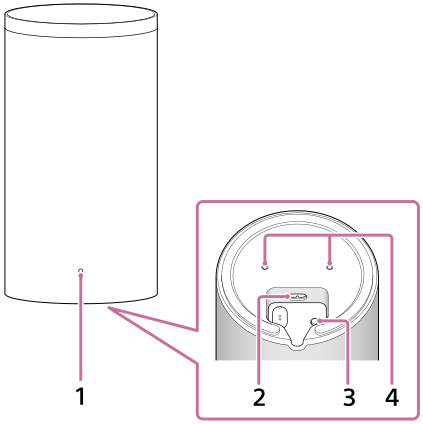
-
Power indicator
Indicates the rear speaker status by lighting or flashing in 3 colors (white/blue/red).
-
AC inlet
-
LINK
- Press: Press to connect the rear speaker. Follow the connection procedure to operate.
- Press and hold for 2 seconds until the notification sound plays: Turns off the rear speaker.
- Press and hold for 10 seconds until the second notification sound plays: Resets the rear speaker.
-
Holes for installing the wall mounting bracket
Hint
- In the hollow area on the bottom of the left rear speaker (REAR L), you will find two tactile dots side by side that are about 1 mm (1/16 in) in size. Use them as a guide to distinguish the left rear speaker from the right rear speaker.
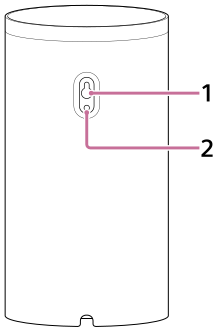
Rear
The illustration below shows the rear speaker with the cover on the rear removed.
-
Wall mounting hole
-
Mounting hole for the general speaker stand
This is compatible with the M5 size screw.
Note
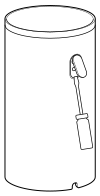
- When using the wall mounting hole or mounting hole for the general speaker stand, remove the cover by inserting a flathead screwdriver, etc.
TP1002074385