


Pair the microphone and receiver again
At the time of purchase, the microphone and receiver are already paired. When you turn on both the microphone and receiver, they will automatically connect.
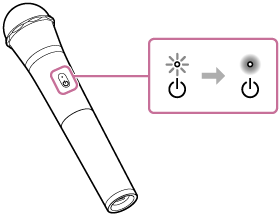
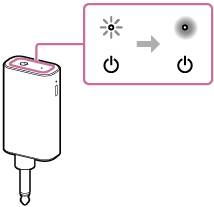
If the microphone and receiver do not connect and both power indicators continue to flash in white (*) after turning on them, pair the microphone and receiver again.
(*) If the remaining built-in battery power is low, the power indicator flashes in orange. For more details, see “About the indicators.”
- Press and hold the power button on the microphone and receiver simultaneously for about 5 seconds.
The microphone and receiver enter pairing mode, and both power indicators start double flashing in white. Once connected, the indicators will change from flashing in white to lit in white. (*)
(*) The color and flashing pattern of the indicators may vary depending on the remaining built-in battery power. For details, see “About the indicators.”
-
Microphone
-
Receiver
-
Hint
-
You can connect up to 2 microphones to each receiver.
-
Each microphone is paired with a receiver. If you need to pair 2 microphones with the receiver again, follow the above steps for each microphone individually.