


Connecting to a USB Type-C compatible smartphone
-
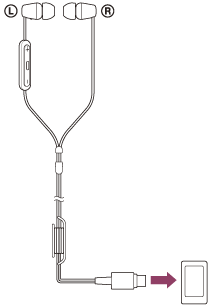
Connect the headphones to the USB port of a USB Type-C compatible smartphone.
Note
- While connecting the cable, do not apply excessive force to the connection part.
- When connecting or disconnecting the cable, do not apply excessive force, such as by pulling the cable. Connect or disconnect the connector straight to the port to be connected.
- If the cable connector is deformed, such as by the cable connector being bent, stop using it immediately.
- Depending on your USB Type-C compatible smartphone you are using, you may need to configure some settings to connect with the headphones.
The name displayed on the connected smartphone varies depending on the connected smartphone. It is displayed as “Detect USB device” or “Enable USB On-The-Go connection”.
For details, refer to the operating instructions for the USB Type-C compatible smartphone. - When connecting the headphones to a device other than a smartphone, the volume may increase. Note the following.
- Do not connect the headphones while playing the application or content.
- Do not connect the headphones while putting the headphone units into your ears.