


Wearing the headset
-
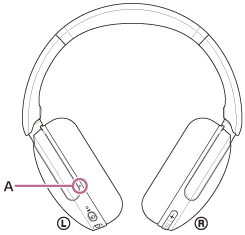
Check the left and right units of the headset.
There is a tactile dot (A) on the left unit.
-
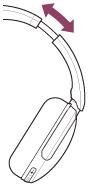
Extend the slider.
Extend the slider to its full length before putting on the headset.
-
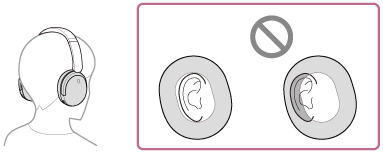
Put on the headset.
Put on the headset with the earpads fitting snugly over your ears.
-
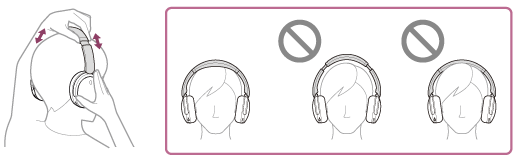
Adjust the length of the slider.
Adjust the slider to a length where the headband touches the top of your head.
-
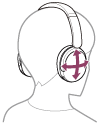
Adjust the orientation of the units.
Adjust the orientation of the left and right units so that the earpads fit snugly all around your ears.
If you put on the headset without adjusting the slider, the headset may not be positioned properly on your head, resulting in discomfort or a weak noise canceling effect.
Note
- External force beyond the range of normal use, such as turning the unit's rotary axis or other moving parts to the opposite side of the normal direction or dropping the headset, may cause damage. The warranty does not cover malfunctions caused by damage due to improper handling.
TP1002286165