


Turning on or off the speaker’s light (Lighting function)
The speaker lights up with the music to liven up the atmosphere. At the time of purchase, the lighting function is activated.
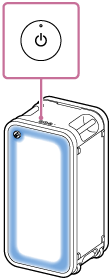
- Turn on the speaker.
You hear the notification sound from the speaker.
The speaker lights up.
To change the lighting mode of the speaker
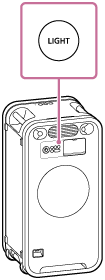
By pressing the LIGHT button on the speaker each time, you can change the lighting mode or deactivate the lighting function. When you deactivate the lighting function, the speaker’s light goes out.
Hint
-
With the “Sound Connect” app, you can do the following:
-
Activating or deactivating the lighting function of the speaker
-
Changing the lighting mode and the lighting color to suit your mood or the scene
-
Note
-
When the speaker’s light seems bright or glaring, turn up the room lights or turn off the lighting function.
-
Do not look directly into the light-emitting parts of the speaker.