


Using the BLUETOOTH standby (auto power on) function
The BLUETOOTH standby function allows you to automatically establish a BLUETOOTH connection by operating a BLUETOOTH device. At the time of purchase, the BLUETOOTH standby function is deactivated. You need to activate the function before using it.
Before you operate the speaker, note the following:
-
When the BLUETOOTH standby function is activated, the power indicator on the speaker stays lit in orange while the speaker is turned off.
-
Pair the speaker with a BLUETOOTH device in advance. If pairing information is not stored on the speaker, the speaker will not enter BLUETOOTH standby mode. This applies to circumstances such as when the speaker is used for the first time after purchase.
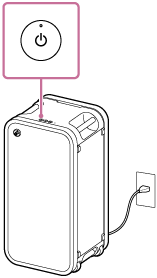
- Turn on the speaker.
You hear the notification sound from the speaker.
- Start the “Sound Connect” app on your smartphone.
- Activate [Bluetooth Standby].
To deactivate the BLUETOOTH standby function
In step 3 above, deactivate [Bluetooth Standby].