


Exposure Comp. (still image/movie)

Normally, exposure is set automatically (auto exposure). Based on the exposure value set by auto exposure, you can make the entire image brighter or darker if you adjust [ Exposure Comp.] to the plus side or minus side, respectively (exposure compensation).
- Turn the exposure compensation dial.
+ (over) side:
Images become brighter.- (under) side:
Images become darker.- You can adjust the exposure compensation value within the range of -3.0 EV to +3.0 EV.
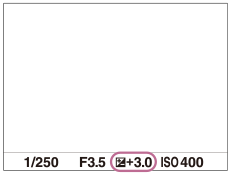
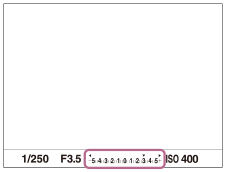
- You can confirm the exposure compensation value that you set on the shooting screen.
Monitor
Viewfinder
To set the exposure compensation value via MENU or touch operations
When the exposure compensation dial is set to 0, you can set the exposure compensation via MENU or touch operations.
When adjusting exposure compensation via MENU or touch operation, you can set a value within the range of -5.0 EV to +5.0 EV
- Setting exposure compensation in MENU:
-
MENU →
 (Exposure/Color) → [Exposure Comp.] → [Exposure Comp.] → Select the desired setting.
 - Setting exposure compensation using touch operations:
- Set [Touch Operation] to [On] and [Footer Icon Touch] to [On], then touch the exposure compensation value on the shooting screen.
Hint
- The settings of the exposure compensation dial will be prioritized over [Exposure Comp.] in MENU.
- Only a value between -3.0 EV and +3.0 EV with the equivalent image brightness appears on the screen when shooting. If you set an exposure compensation value outside this range, the image brightness on the screen will not be affected, but the value will be reflected in the recorded image.
- You can adjust the exposure compensation value within the range of -2.0 EV to +2.0 EV for movies.
Note
-
You cannot perform the exposure compensation in the following shooting modes:
- [Intelligent Auto]
- [Scene Selection]
-
When using [Manual Exposure], you can perform the exposure compensation only when [ISO] is set to [ISO AUTO].
- If you shoot a subject in extremely bright or dark conditions, or when you use the flash, you may not be able to get a satisfactory effect.
-
When you set the exposure compensation dial to “0” from a setting other than “0,” the exposure value switches to “0” regardless of the [Exposure Comp.] setting.
TP1001776528