


Backing Up and Restoring Settings on a Mobile Device
You can back up and restore the settings on a mobile device.
Note
- When a backup is created on a mobile device, backup files are saved per user. Other users are not able to view the backup file.
To back up settings
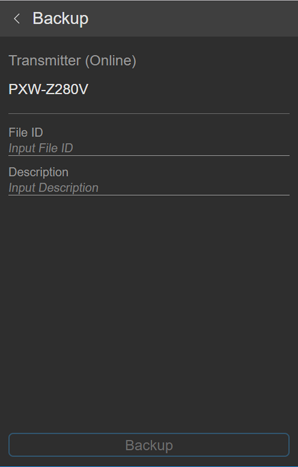
Specify [File ID] and [Description], then tap [Backup] to save the settings.
Note
- [File ID] input is required.
To restore settings
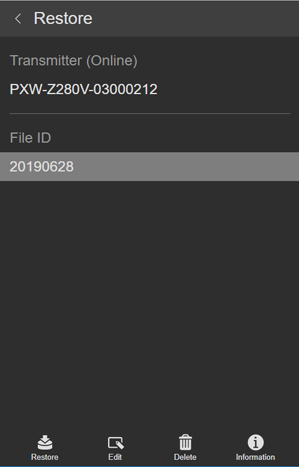
The file ID of backup files are displayed. Select the file ID of the file you want to restore, and tap [Restore] to restore the settings.
In addition to restoring a file, you can edit the file ID, delete the file, and display file details.
Note
- The camcorder will reboot after restoring settings.
