SONY

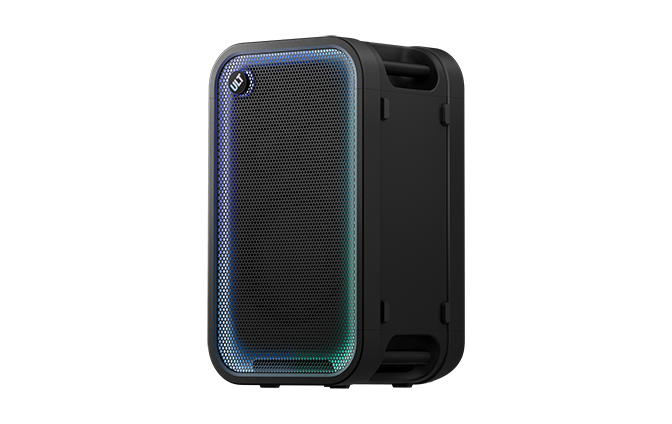
Wireless SpeakerULT TOWER 7Help Guide

Table of Contents
Table of Contents
  • Top
    • Using the speaker
    • Using the “Sound Connect” app
    • Parts and controls
    • Carrying or placing the speaker
      • Charging the speaker
      • Turning the power on
      • Turning the power off
      • Using the BLUETOOTH standby (auto power on) function
      • Charging a USB device such as a smartphone or iPhone
      • Auto Standby (power saving) function
      • Using the speaker with less power consumption of the rechargeable battery (STAMINA)
      • Turning on or off the speaker’s light (Lighting function)
      • How to make wireless connections to BLUETOOTH devices
      • Connecting to BLUETOOTH devices easily with the “Sound Connect” app via a BLUETOOTH connection
      • Connecting with an Android™ smartphone or iPhone via a BLUETOOTH connection
      • Connecting with a computer via a BLUETOOTH connection (Windows®)
      • Connecting with a computer via a BLUETOOTH connection (Mac)
      • Connecting the speaker concurrently with 2 BLUETOOTH devices (multipoint connection)
      • Connecting with a DJ device (LINE 1)
      • Connecting with a DJ device in a balanced connection (LINE 2)
    • Connecting a USB device (USB-A)
    • Connecting a computer or a smartphone (USB-C)
      • Listening to music of a device via a BLUETOOTH connection
      • Terminating the BLUETOOTH connection (After use)
      • Activating or deactivating the BLUETOOTH function
      • Listening to music from a DJ device (LINE 1)
      • Listening to music from a DJ device in a balanced connection (LINE 2)
    • Listening to music from a USB device (USB-A)
    • Listening to music from a computer or a smartphone (USB-C)
    • Enjoying switching the sound effects
    • Listening to music wirelessly with 2 speakers (Stereo Pair function)
    • Enjoying wireless playback using multiple speakers (Party Chain function)
      • Using an external microphone
    • About the indicators
    • Precautions
    • Supported codecs
    • How to keep the software up-to-date (for comfortable use of the speaker)
    • Notes on charging
    • Notes on water resistant feature
    • How to care for the speaker
    • About the BLUETOOTH wireless technology
    • Licenses
    • Trademarks
    • Troubleshooting
    • Restarting the speaker
    • Initializing the speaker
    • Specifications
Close

Model: YY7871E

Design and specifications are subject to change without notice.

Quick Start Guide

Download the app, and set up the speaker

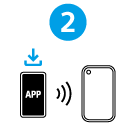
Many useful features are out there in your device. Download the “Sound Connect” app and get the most out of what you have.

For the main features that are available with the “Sound Connect” app, see “Using the “Sound Connect” app.”

Let’s start to use

After purchasing the speaker, follow the procedure below to play music.
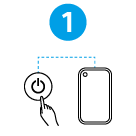
  • Turning the power on

    Press the power button on the speaker. When you use the speaker for the first time after purchase, the speaker automatically enters pairing mode. The BLUETOOTH indicator on the speaker starts double flashing.

  • Connecting with BLUETOOTH® devices

    Follow the instructions on the downloaded “Sound Connect” app to establish a BLUETOOTH connection between the speaker and your smartphone or iPhone. When a BLUETOOTH connection is established, you hear the notification sound from the speaker. The activity of the BLUETOOTH indicator on the speaker changes from flashing to lit.

  • Listening to music

    Start playback on a BLUETOOTH device.


SRS-ULT700

  • Download PDF

Go to Page Top
Language Selection Page
5-074-073-11(1)
Copyright 2026 Sony Corporation