SONY

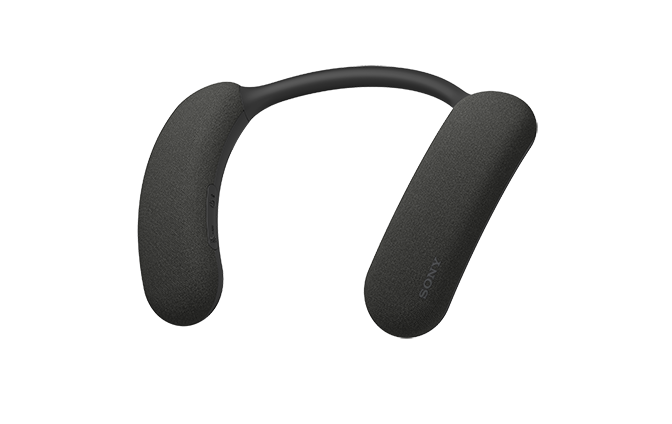
Wireless Neckband SpeakerBRAVIA Theatre UHelp Guide

Table of Contents
Table of Contents
  • Top
    • Included items
    • Parts and controls
    • Adjusting the width of the neckband
    • About the indicator on the neckband speaker
      • Charging the neckband speaker
      • Turning the power on
      • Turning the power off
      • Automatic Power Off function
      • Checking how to connect the neckband speaker to a 360 Spatial Sound Personalizer compatible BRAVIA TV
      • Connecting the neckband speaker to a 360 Spatial Sound Personalizer compatible BRAVIA TV via a BLUETOOTH connection
      • Connecting the neckband speaker to a 360 Spatial Sound Personalizer compatible BRAVIA TV via a BLUETOOTH connection through the transmitter (sold separately)
      • Connecting the neckband speaker with a TV via a BLUETOOTH connection
      • Connecting the neckband speaker with a Windows computer via a BLUETOOTH connection
      • Connecting the neckband speaker with a paired Windows computer via a BLUETOOTH connection
      • Connecting the neckband speaker with a Mac computer via a BLUETOOTH connection
      • Connecting the neckband speaker with a paired Mac computer via a BLUETOOTH connection
      • Connecting the neckband speaker with an Android™ smartphone or an iPhone via a BLUETOOTH connection
      • Connecting the neckband speaker with a paired Android smartphone or a paired iPhone via a BLUETOOTH connection
      • Connecting the neckband speaker concurrently with 2 BLUETOOTH devices (multipoint connection)
    • Using 2 neckband speakers at the same time (Speaker Add)
    • Listening to TV audio through the neckband speaker
      • Listening to music of a device via a BLUETOOTH connection
      • Selecting the quality for music playback via BLUETOOTH connections (Codec)
      • Terminating the BLUETOOTH connection (After use)
      • About 360 Reality Audio
    • Use the dedicated audio cable (supplied) to listen
    • Making a video call on a computer
    • Receiving a call
    • Making a call
    • What you can do with the “Sony | Headphones Connect” app
    • Installing the “Sony | Headphones Connect” app
    • Accessing support information from the “Sony | Headphones Connect” app
    • Updating the neckband speaker software
    • Specifications
      • Precautions
      • Notes on charging
      • Notes on water resistant feature
      • How to care for the neckband speaker
      • On BLUETOOTH communications
      • Licenses
      • Trademarks
    • What can I do to solve a problem?
      • Unable to charge the neckband speaker
      • Unable to turn on the neckband speaker or the neckband speaker suddenly turns off
      • No sound/Sound from only one speaker component/Low sound level/Distorted sound/Humming or noise in the speaker output/No voice or low voice from callers
      • Unable to pair the neckband speaker with a BLUETOOTH device
      • Sound skips
      • Unable to connect the neckband speaker concurrently with 2 devices (multipoint connection)
      • Resetting the neckband speaker
      • Initializing the neckband speaker
閉じる

Model: YY7861E

The following explains how to use this neckband speaker. Select a topic from the navigation pane.

Design and specifications are subject to change without notice.

To use all functions and improved performances, update the software of the neckband speaker and the “Sony | Headphones Connect” app to the latest version.

Enjoy audio from TV and mobile devices

  • Checking how to connect the neckband speaker to a 360 Spatial Sound Personalizer compatible BRAVIA TV

    By connecting to a 360 Spatial Sound Personalizer compatible BRAVIA TV, you can enjoy TV audio in 360 spatial sound.

    Depending on your BRAVIA TV model, the transmitter (sold separately) may be required.

  • Establishing a BLUETOOTH® connection with a TV

    You can listen to TV audio through the neckband speaker via a BLUETOOTH connection to a TV that supports A2DP (Advanced Audio Distribution Profile).

  • Establishing a BLUETOOTH connection with a smartphone or computer

    You can listen to music through the neckband speaker via a BLUETOOTH connection to your smartphone or computer.

HT-AN7

  • Download PDF

Go to Page Top
Language Selection Page
5-056-199-11(1)
Copyright 2024 Sony Corporation