


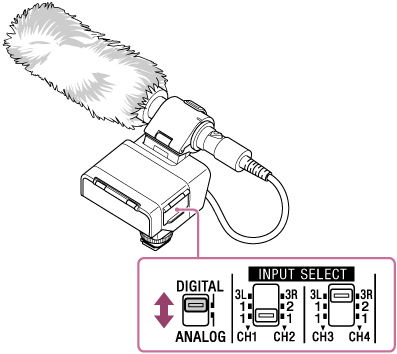
Selecting the digital or analog output type
Set the audio output type.
Note
-
The microphone shown in the illustration is not supplied.
- Change the DIGITAL/ANALOG switch setting to suit your camera.
Note
-
If the Multi Interface Shoe on your camera is not compatible with the digital audio interface, set the switch to “ANALOG.”
-
When connecting this unit to the computer, the unit outputs digital signals regardless of the switch selection: “DIGITAL” or “ANALOG.”